Immigration New Zealand Online Application Process
A Post-study Work Visa application must be submitted online through the Immigration New Zealand website. This guide explains the detailed process from login to submission.
TIP
Before applying, make sure you have completed the medical exam and obtained the Completion Letter.
Before Applying
| Material | Description |
|---|---|
| RealMe account | If you have applied for a Student Visa before, you usually already have one; otherwise register |
| Passport | Scan of the personal information page (PDF) |
| Completion Letter | Course completion proof downloaded from My eQuals (PDF) |
| Transcript | Academic Transcript (PDF) |
| Medical eMedical | NZHR number; the medical exam has been completed and uploaded |
| Criminal record certificate | If required, see Criminal Record Certificate |
| Proof of funds | Bank statements or similar evidence showing you have enough funds to support yourself in New Zealand |
| Visa / MasterCard / UnionPay card | Pay the visa fee |
Application Process
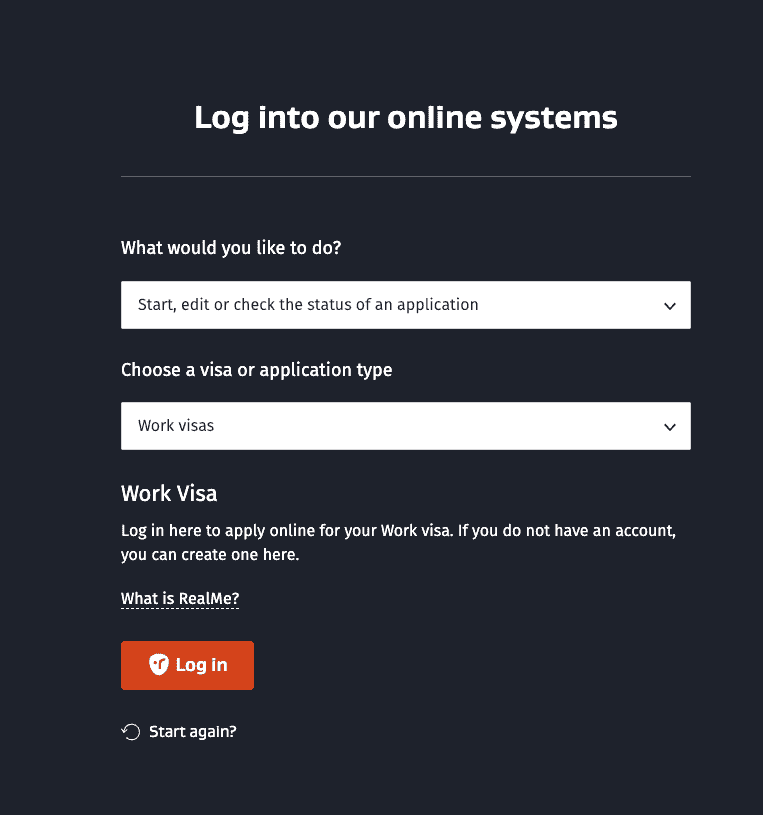
Step 1: Open the work visa login page
Visit immigration.govt.nz and, on the "Log into our online systems" page:
- For What would you like to do?, select Start, edit or check the status of an application
- For Choose a visa or application type, select Work visas
- Click Log in (using RealMe)
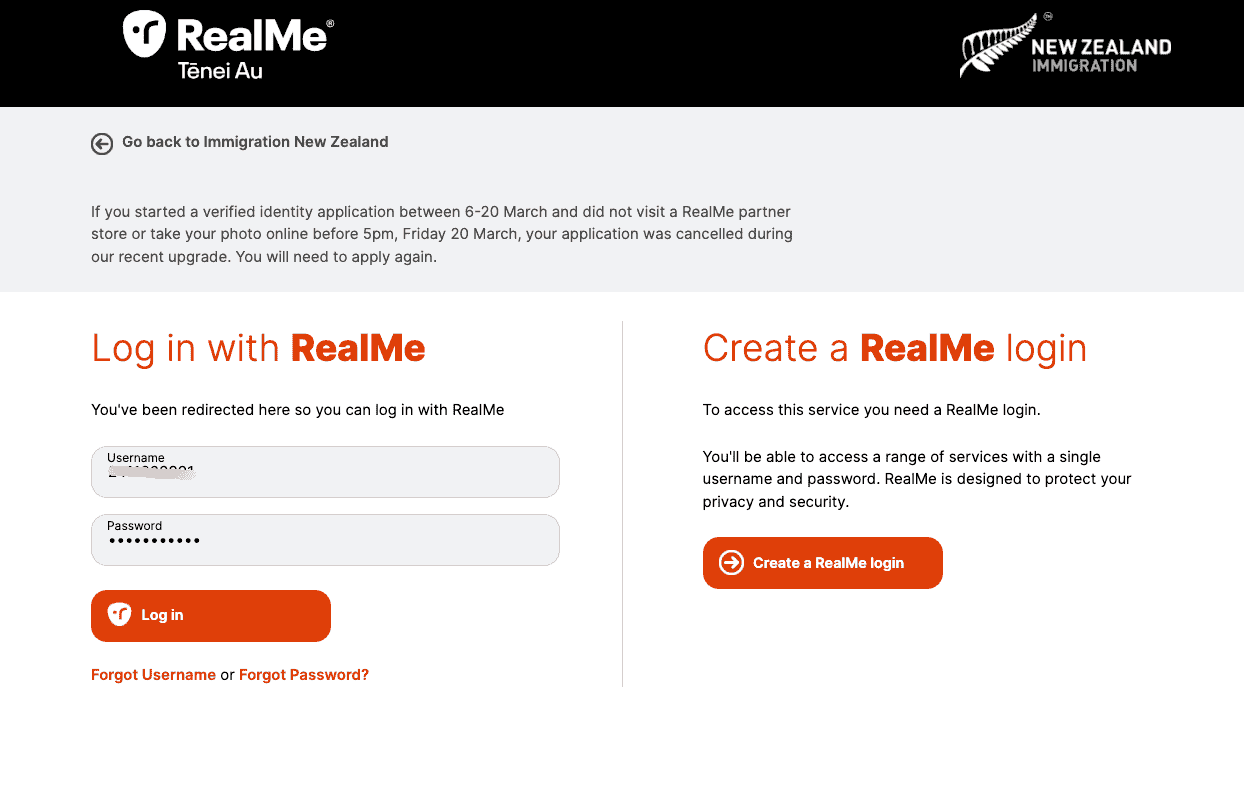
Step 2: RealMe login
- Existing account: enter your username and password, then click Log in
- No account: click Create a RealMe login and follow the prompts to register
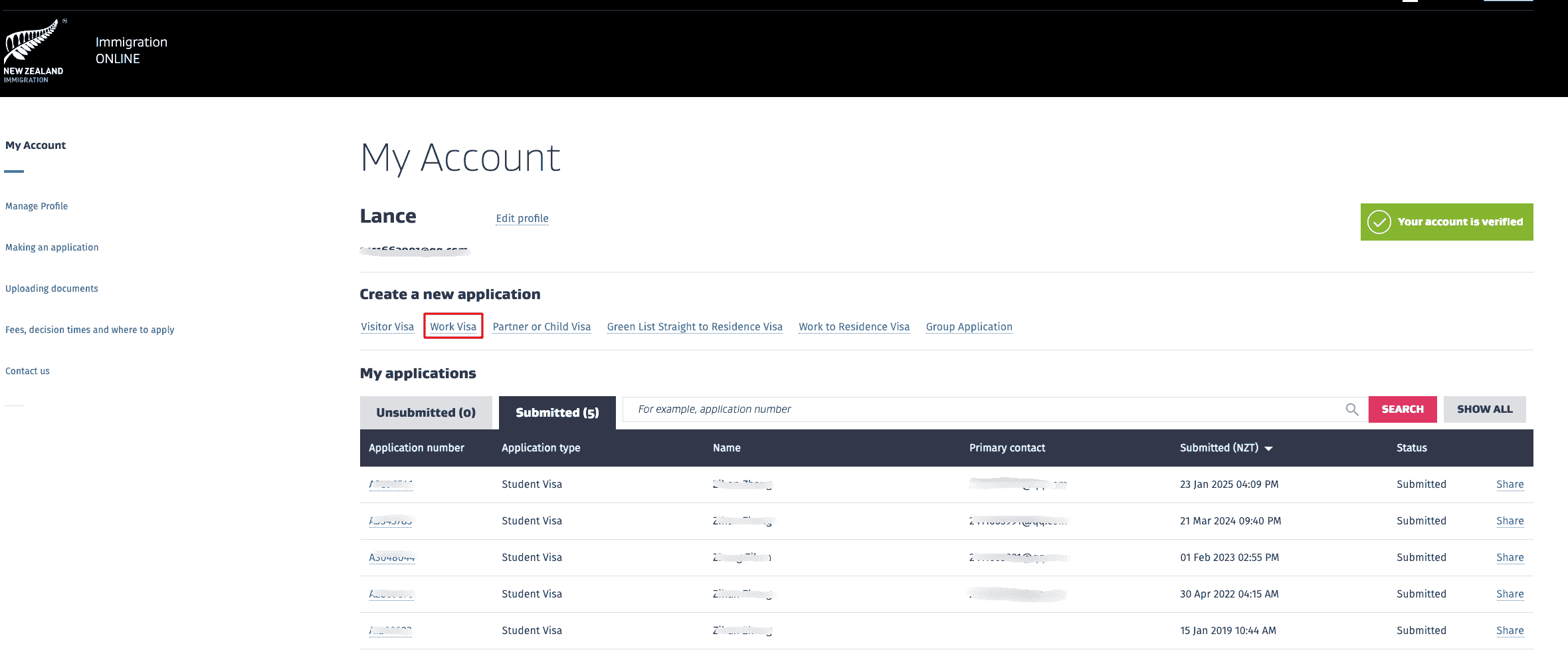
Step 3: Create a new application
After logging in, go to My Account and click Work Visa under Create a new application.
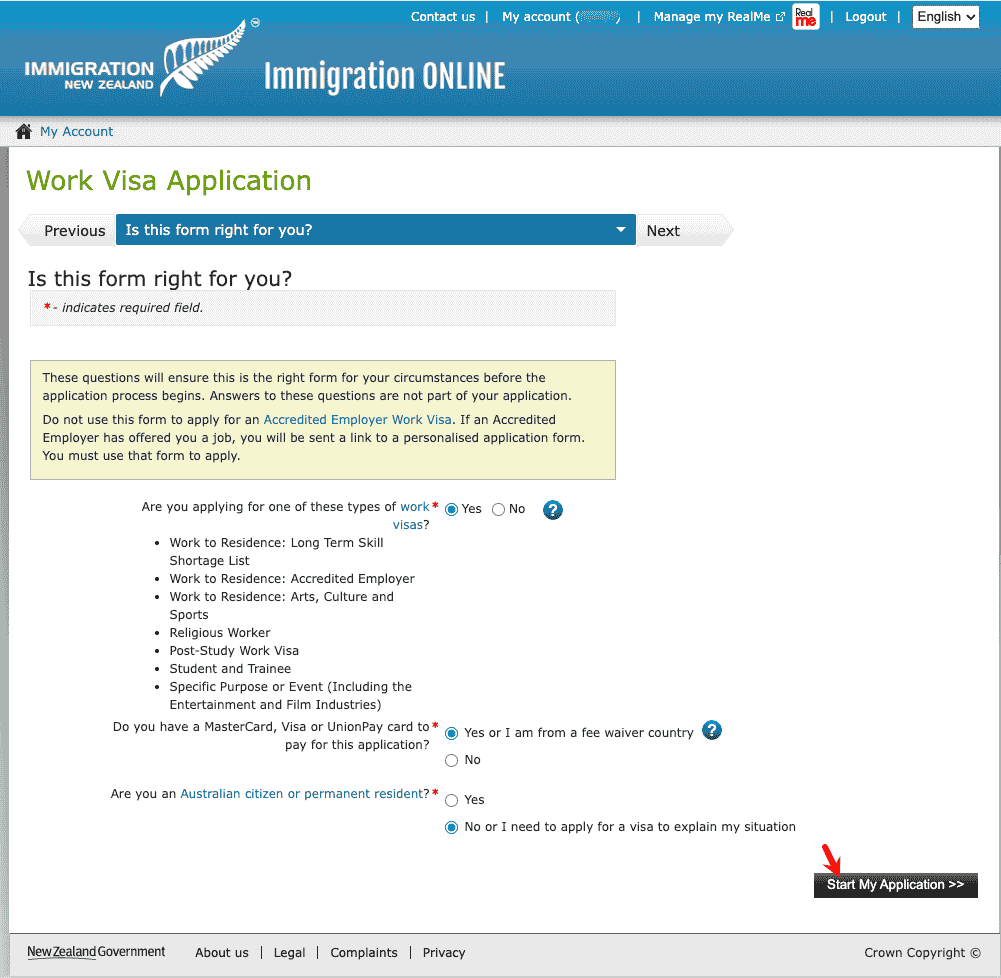
Step 4: Confirm whether the form is suitable
On the Is this form right for you? page, answer the screening questions:
- Are you applying for one of these types of work visas? Select Yes, and confirm that it is one of the listed types such as Post-Study Work Visa
- Do you have a MasterCard, Visa or UnionPay card to pay? Select Yes or I am from a fee waiver country
- Are you an Australian citizen or permanent resident? Select No
WARNING
Do not use this form to apply for an Accredited Employer Work Visa. If an employer has provided a job offer, you will receive a dedicated application link.
Click Start My Application >> to begin.
Step 5: Identity and Contact
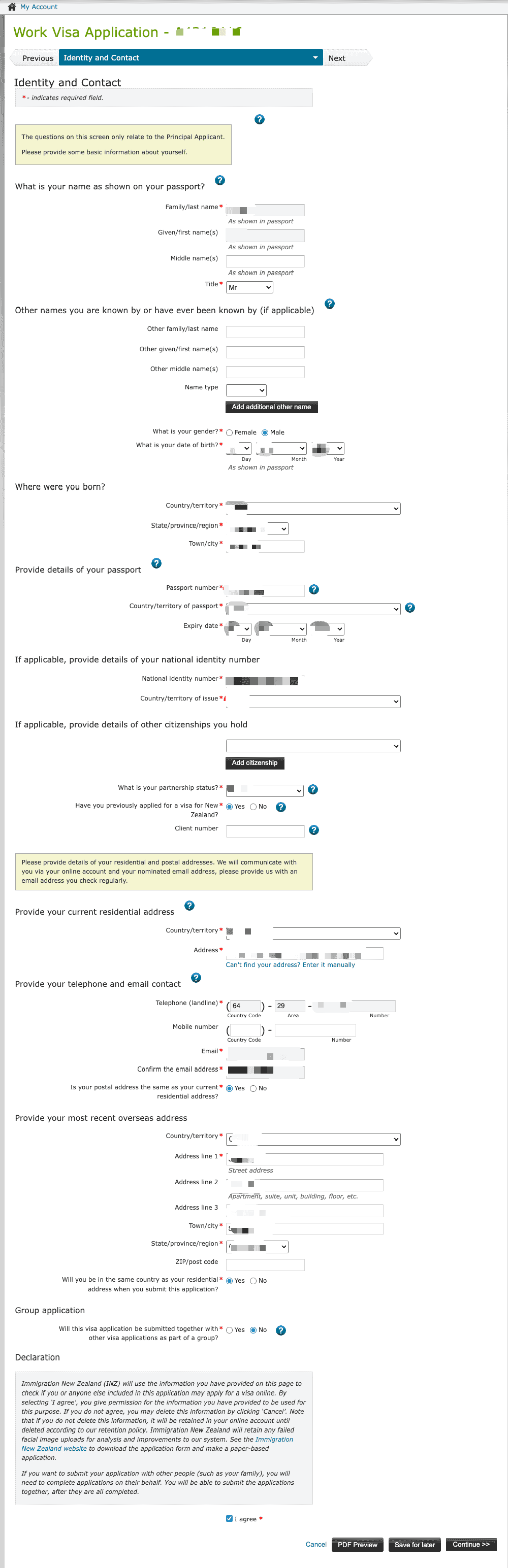
Fill in personal information, passport details, residential address, email, phone number, and other details. Tick the privacy statement and click Continue >>.
Step 6: Work Details
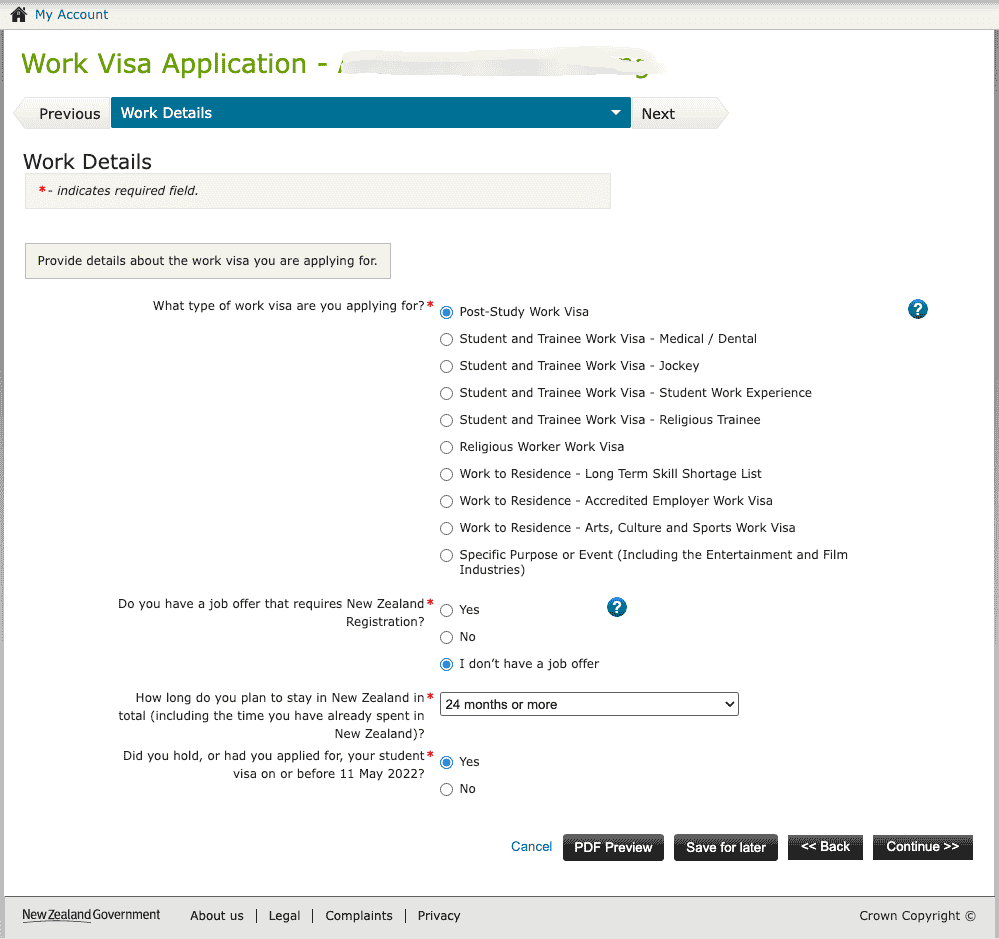
- What type of work visa are you applying for? Select Post-Study Work Visa
- Do you have a job offer that requires New Zealand Registration? Select I don't have a job offer
- How long do you plan to stay in New Zealand in total? Select 24 months or more
- Did you hold, or had you applied for, your student visa on or before 11 May 2022? Choose according to your actual situation (usually Yes)
Step 7: Health Details
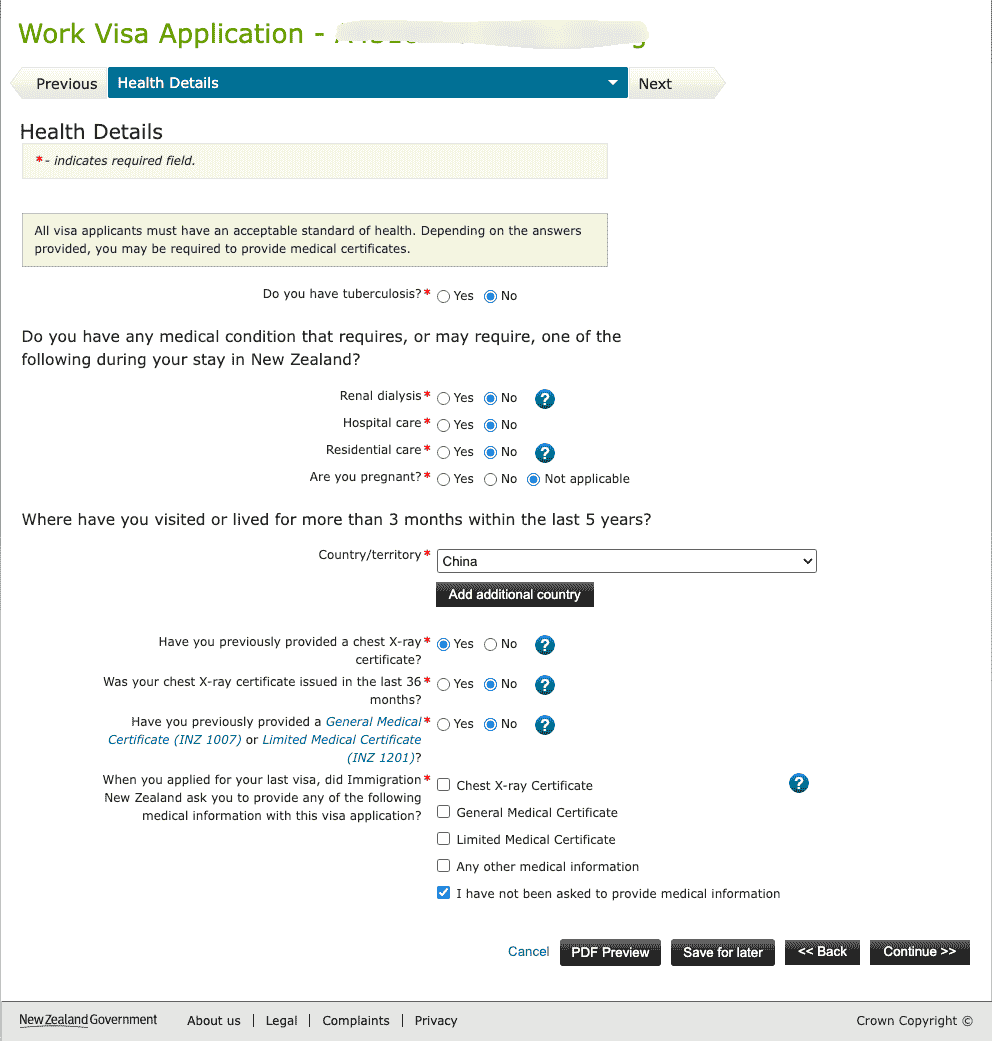
- Tuberculosis, special medical needs, pregnancy, and similar questions: answer according to your actual situation
- Where have you visited or lived for more than 3 months within the last 5 years? Add countries where you lived for more than 3 months, such as China
- Chest X-ray / General Medical Certificate: if you have completed the medical exam, answer according to your actual situation; chest X-rays are valid for 36 months
- If Immigration New Zealand has previously requested medical materials, fill in the details as prompted
Step 8: Character Details
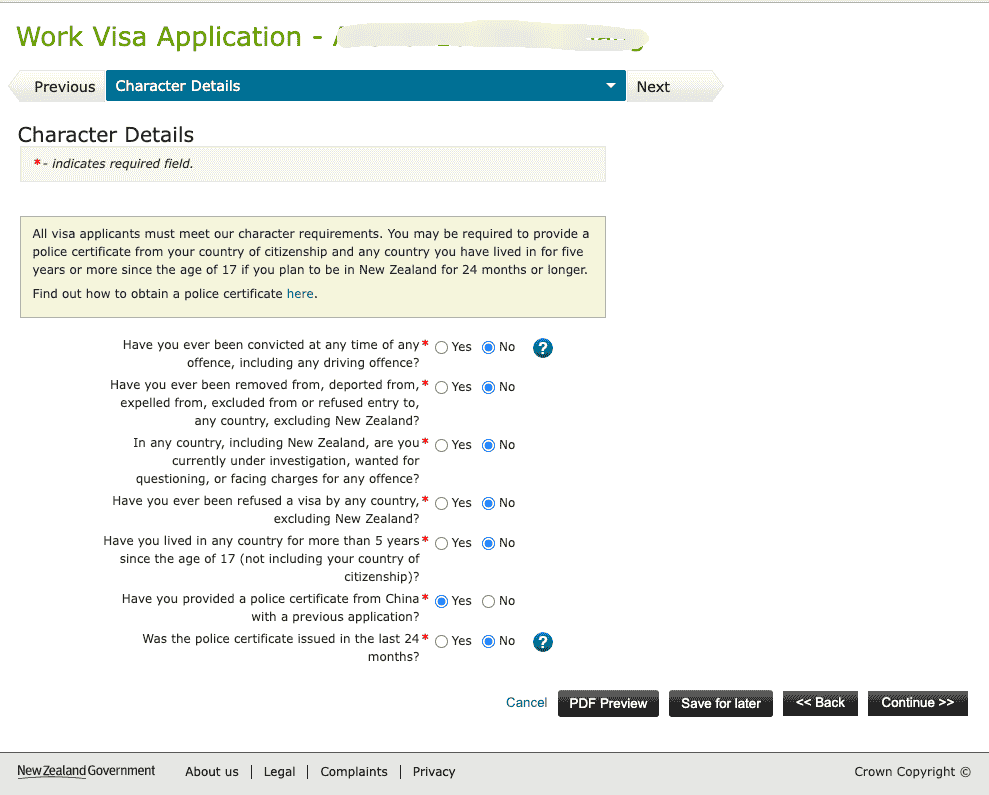
Answer questions about criminal records, deportation, visa refusals, police certificates, and similar matters. If you plan to stay for 24 months or more, you may need to provide a police certificate.
- If you have previously provided a Chinese police certificate, explain whether it was issued within 24 months
- See Immigration New Zealand's Police certificate guidance
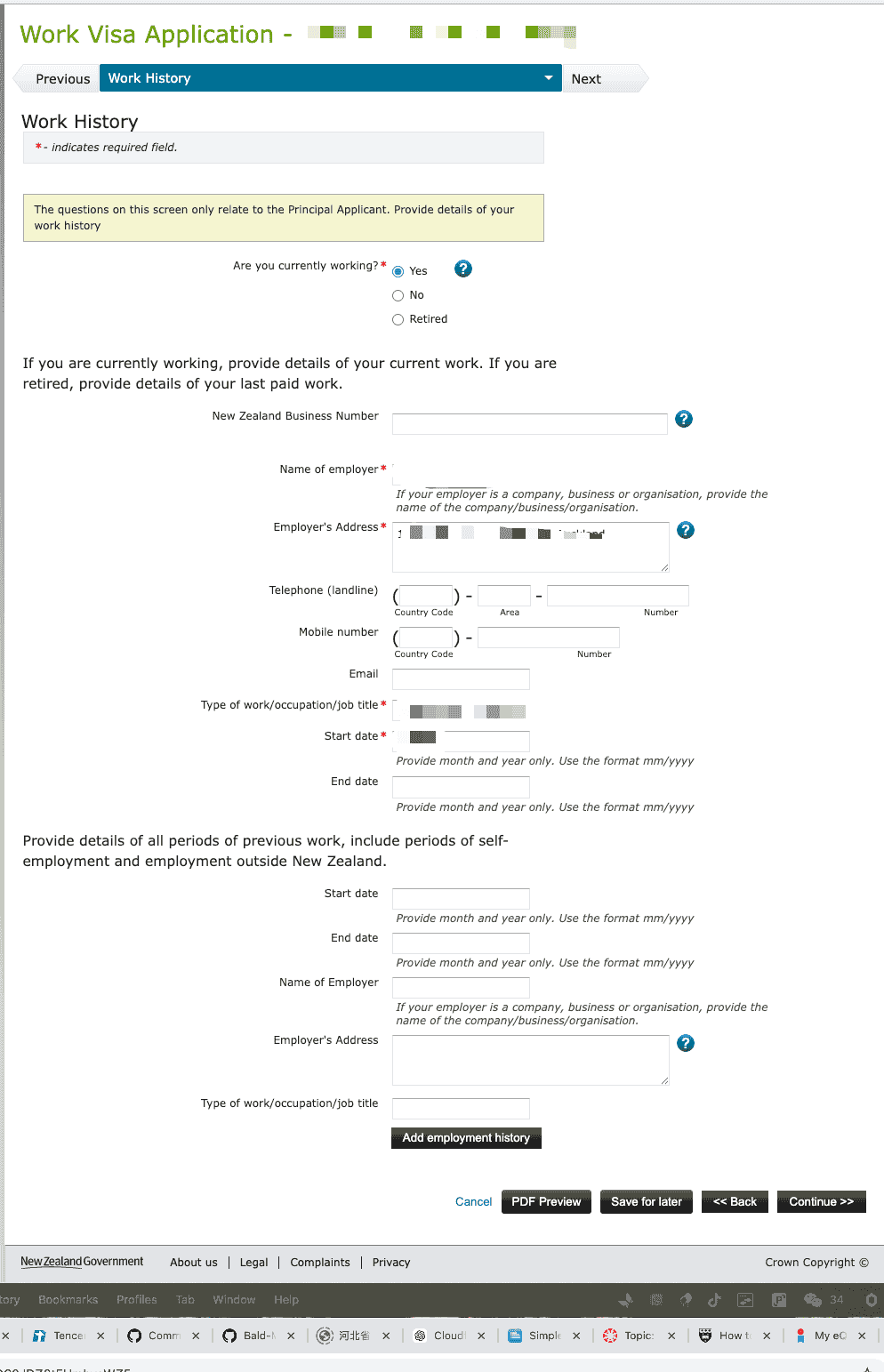
Step 9: Work History
Fill in current and previous work history, including employer name, address, position, start and end dates, and other details.
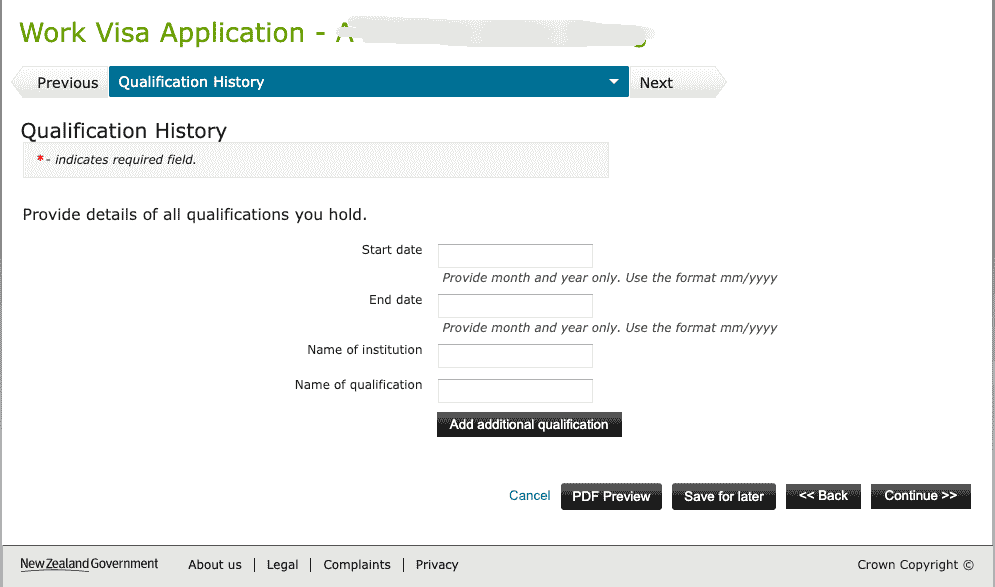
Step 10: Qualification History
Fill in education information: start and end dates (mm/yyyy), institution name, and qualification name. This corresponds to the Completion Letter and transcript required for the Post-Study Work Visa.
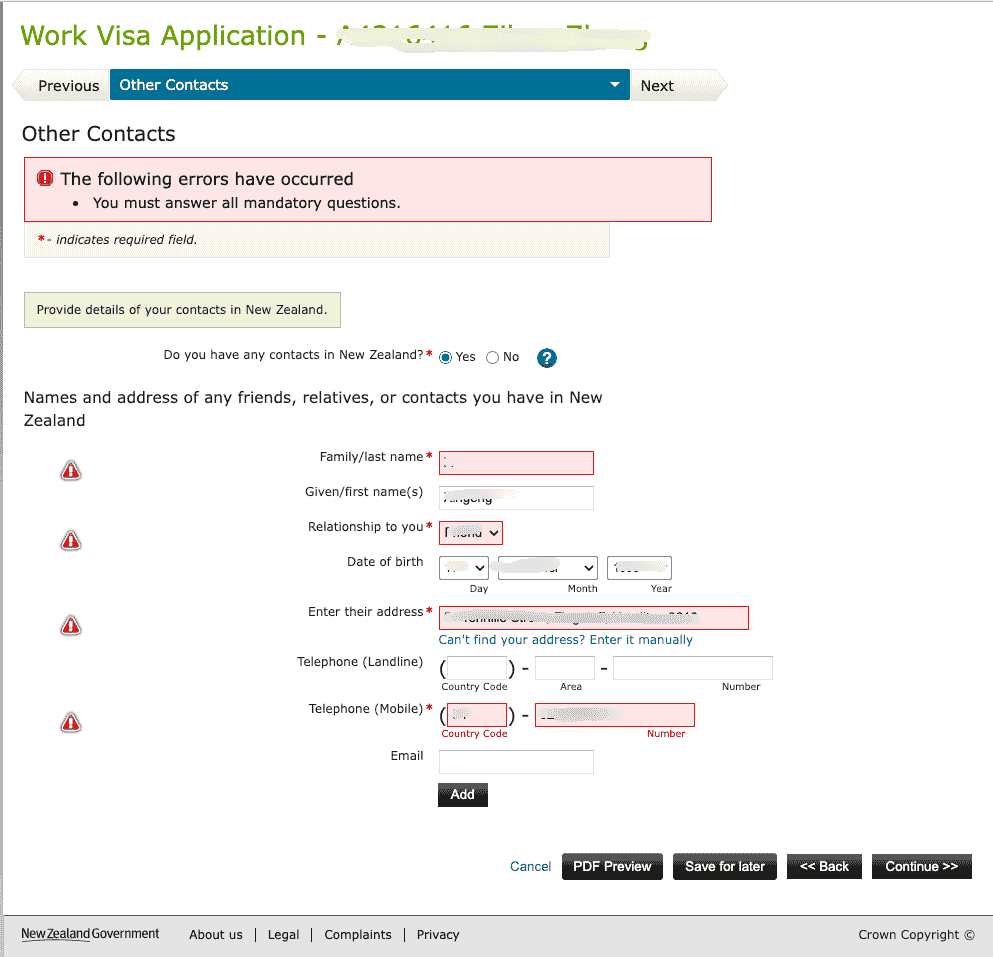
Step 11: Other Contacts
If you have relatives, friends, or contacts in New Zealand, select Yes and fill in their name, relationship, address, phone number, and other details. If not, select No.
TIP
If you select Yes, you must fill in all required fields marked with *, otherwise the page will show "You must answer all mandatory questions".
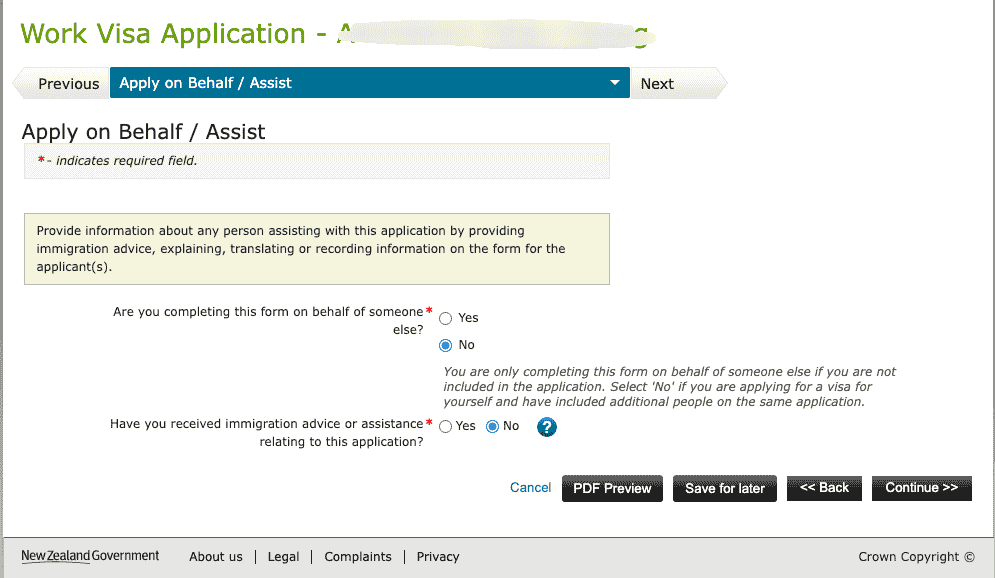
Step 12: Apply on Behalf / Assist
- Are you completing this form on behalf of someone else? If applying for yourself, select No
- Have you received immigration advice or assistance? Choose according to your actual situation
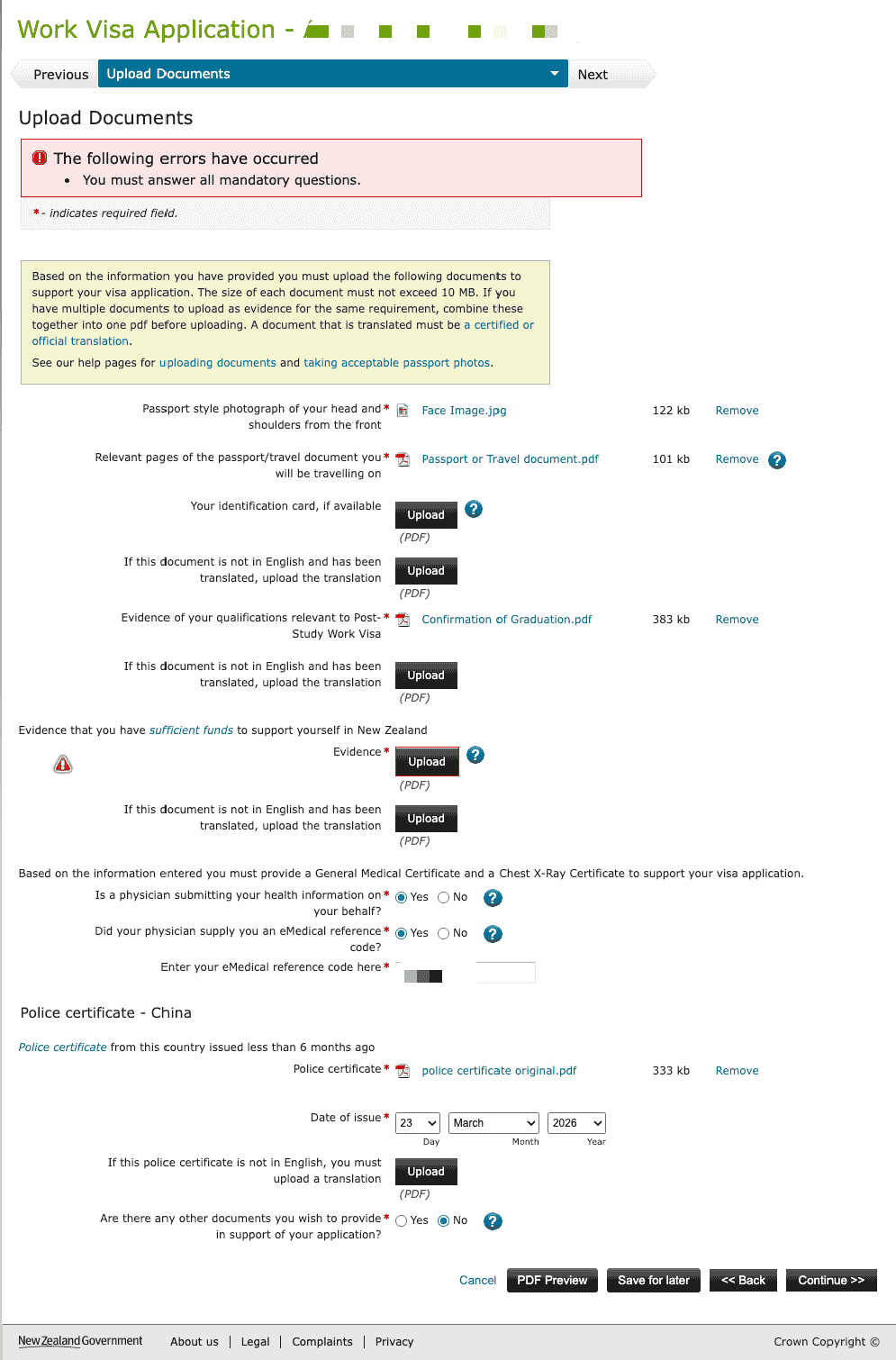
Step 13: Upload Documents
Upload materials according to the checklist. Each file must be no larger than 10 MB. Multi-page materials need to be combined into one PDF before upload.
| Material | Format | Description |
|---|---|---|
| ID photo | JPEG | Passport-style photo meeting Immigration New Zealand requirements |
| Passport | Personal information page | |
| Evidence of qualifications | Completion Letter and transcript | |
| Evidence of sufficient funds | Bank statements or other proof of funds; non-English documents require certified translation | |
| Medical information | eMedical | Enter the NZHR number; the clinic uploads the medical exam directly |
| Police certificate | If required, such as a Chinese criminal record certificate |
Step 14: Declaration
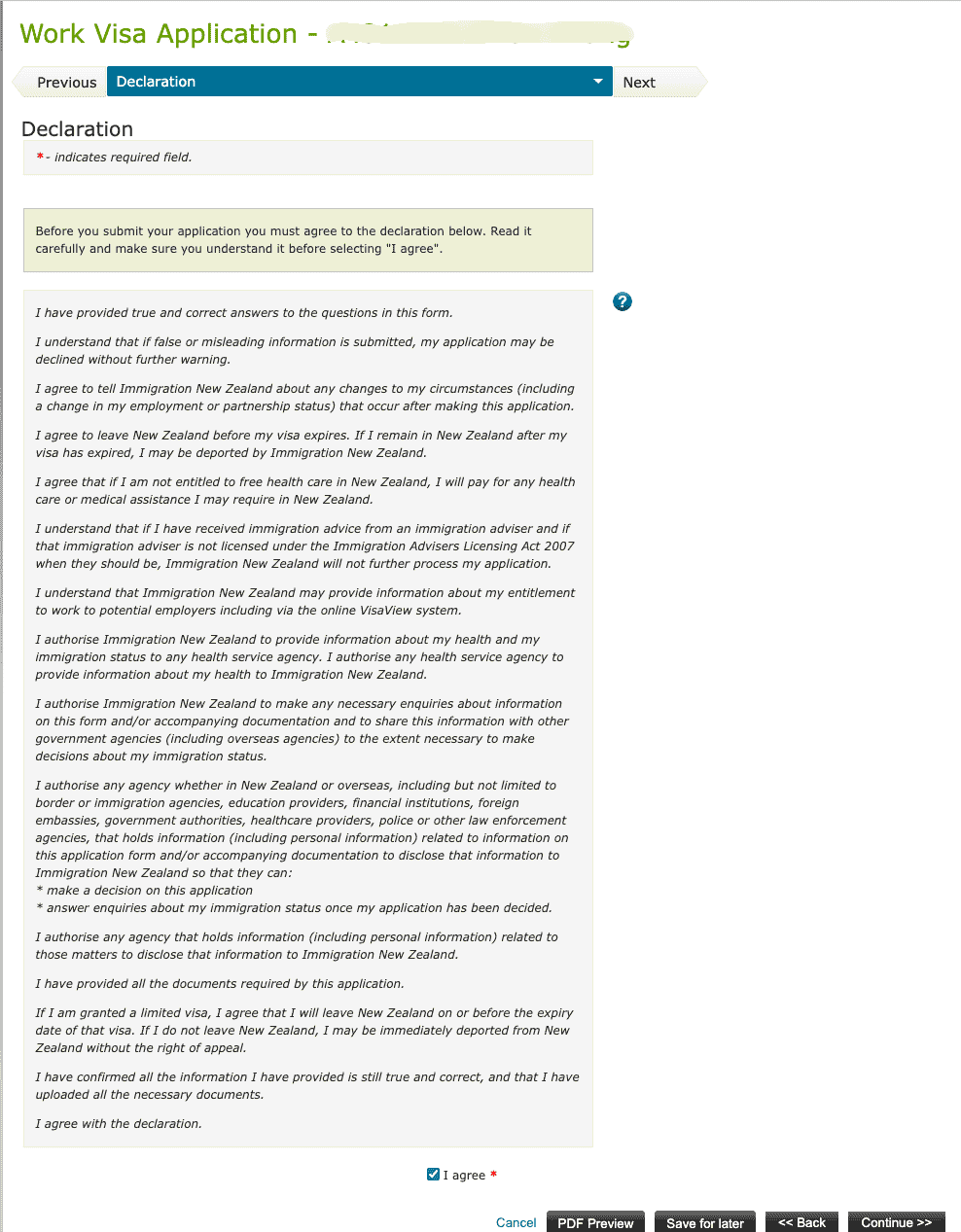
Read the declaration, confirm that the information is true, authorize Immigration New Zealand to verify it, including with financial institutions, tick I agree, and click Continue >>. After completing payment, the application is submitted.
After Applying
- Log in to the Immigration New Zealand system to check application status
- Processing time varies by case, usually from several weeks to several months
- If additional materials are required, Immigration New Zealand will notify you by email or system message
Related Links
- Post-study Work Visa overview
- Medical exam
- Completion Letter
- Immigration New Zealand
- Criminal Record Certificate
- Bank Statements
Last edited: 2026-03-23 · Author: Bald-M