Student Insurance Reimbursement
Student visa holders are usually covered by Student Insurance purchased through their school, such as Studentsafe. It covers GP visits, some specialist care, emergency care, and more. This guide uses the InsuranceSafe online claims portal as an example to explain the student insurance reimbursement process.
TIP
Insurance partners and policy details vary by school. If your school uses InsuranceSafe/Studentsafe, you can refer to this guide. Otherwise, check the specific process on your insurer's official website.
Before Claiming
Required Materials
- Tax Invoice / Receipt -> Receipt/Invoice in the portal
- Consultation Note (medical record / diagnosis note) -> Treatment report in the portal
- Student ID or policy number
- New Zealand bank account details for payment
WARNING
Some clinics do not proactively provide a Consultation Note. During your visit, ask reception or the doctor for it. See the required materials to ask for when visiting White Cross.
Supported File Formats
- Word (.doc, .docx), PDF, JPEG, PNG
- File names must use English characters, and each file must be no larger than 5MB
Studentsafe Online Claims Process
This applies to the InsuranceSafe Studentsafe portal managed by Allianz Partners.
1. Enter the portal and start a new claim
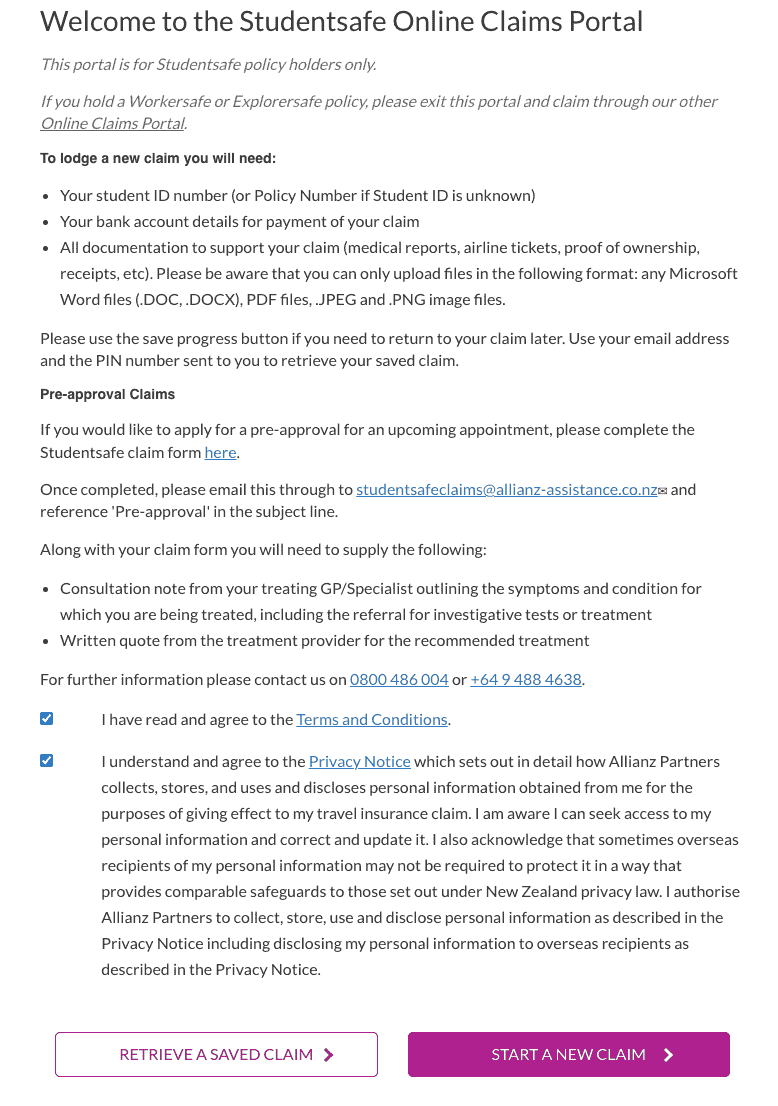
Open the Studentsafe Online Claims Portal.
Tick the Terms and Conditions and Privacy Notice boxes at the bottom, then click START A NEW CLAIM.
2. Fill in personal information
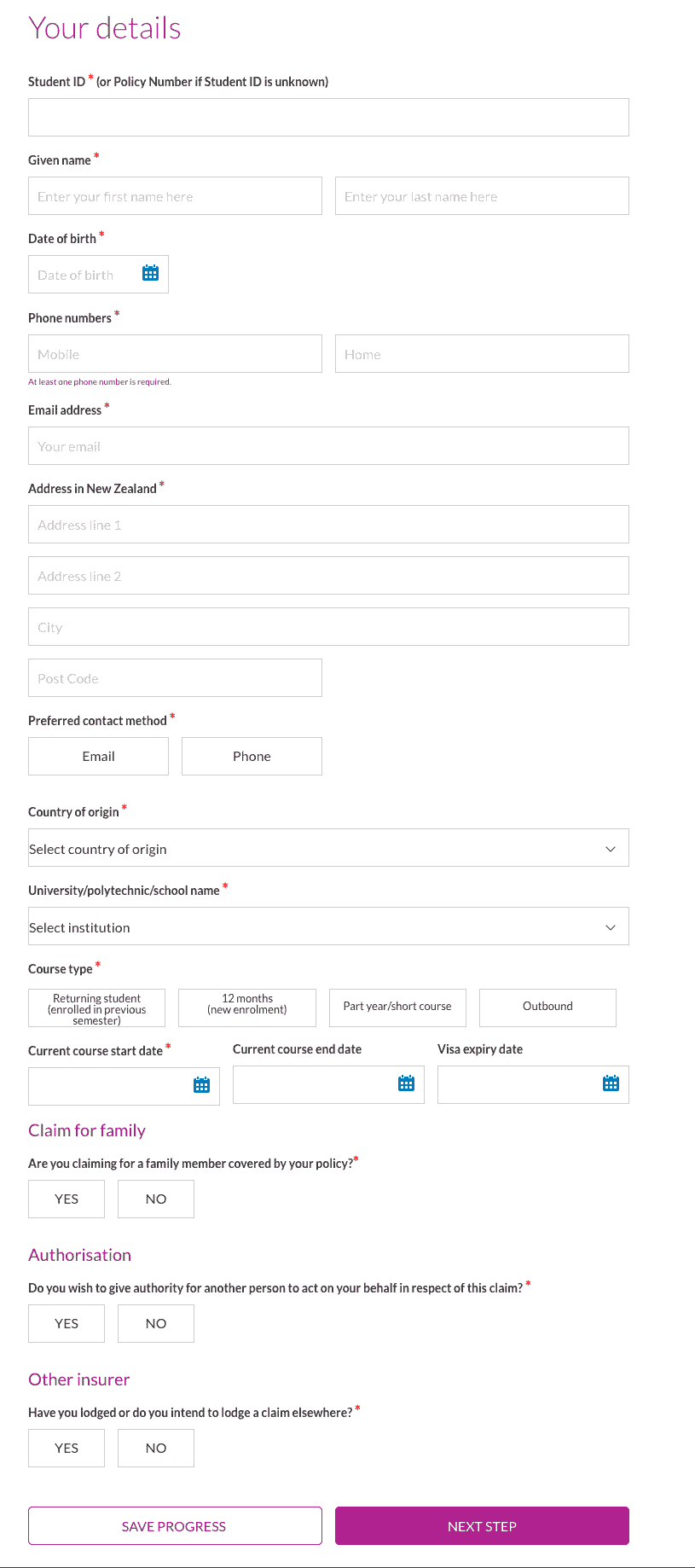
Fill in the information required by the page:
- Student ID (or policy number), name, date of birth
- Mobile/landline (at least one), email
- New Zealand address
- Institution, course type, course start and end dates, visa expiry date
- Whether claiming for a family member, whether authorizing someone else to handle the claim, and whether you have claimed or will claim elsewhere
When complete, click NEXT STEP.
3. Select claim type
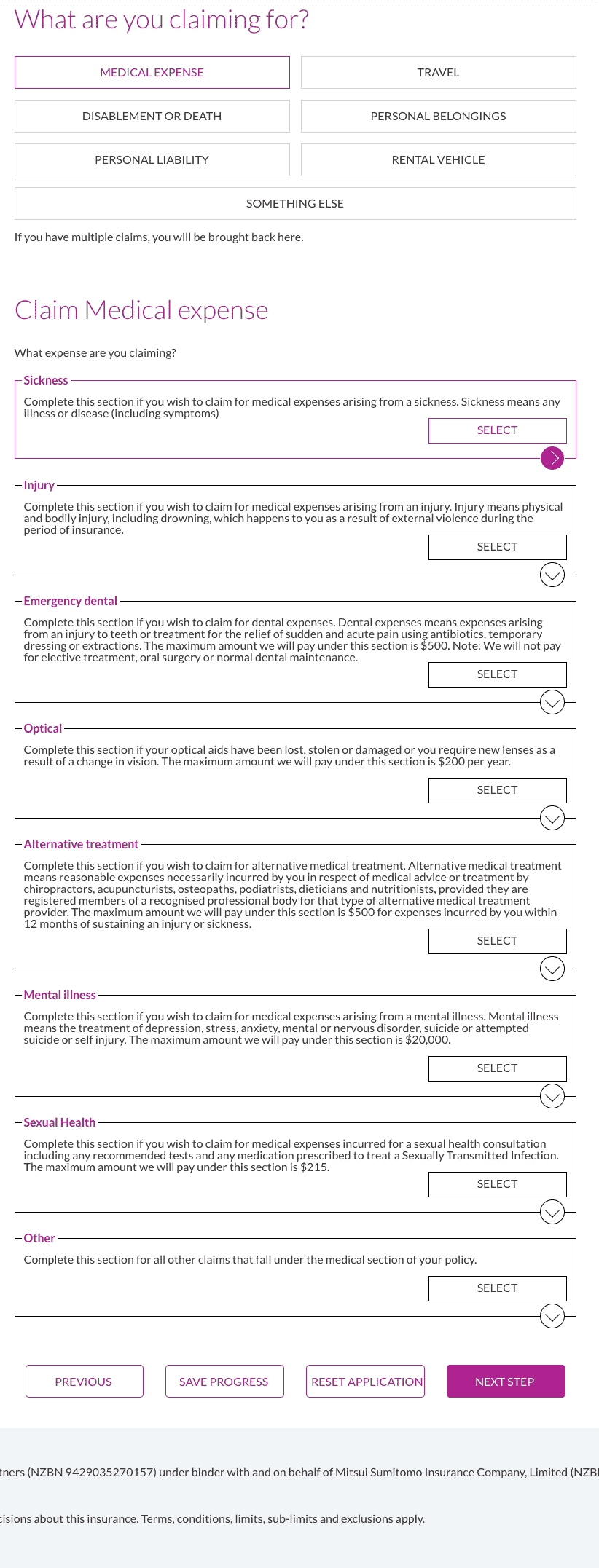
Select MEDICAL EXPENSE.
4. Select medical expense subtype
Choose according to your situation:
| Type | Description / limit |
|---|---|
| Sickness | Medical expenses related to illness |
| Injury | Medical expenses related to accidental injury |
| Emergency dental | Emergency dental care, such as acute toothache, up to $500 |
| Optical | Lost/damaged glasses or lens replacement, up to $200 per year |
| Alternative treatment | Chiropractic, acupuncture, podiatry, and other alternative therapies, up to $500 |
| Mental illness | Mental health related, up to $20,000 |
| Sexual Health | Sexual health checks and treatment, up to $215 |
| Other | Other medical expenses |
For an ordinary doctor visit, select Sickness or Injury, then click SELECT.
5. Fill in claim details and upload materials
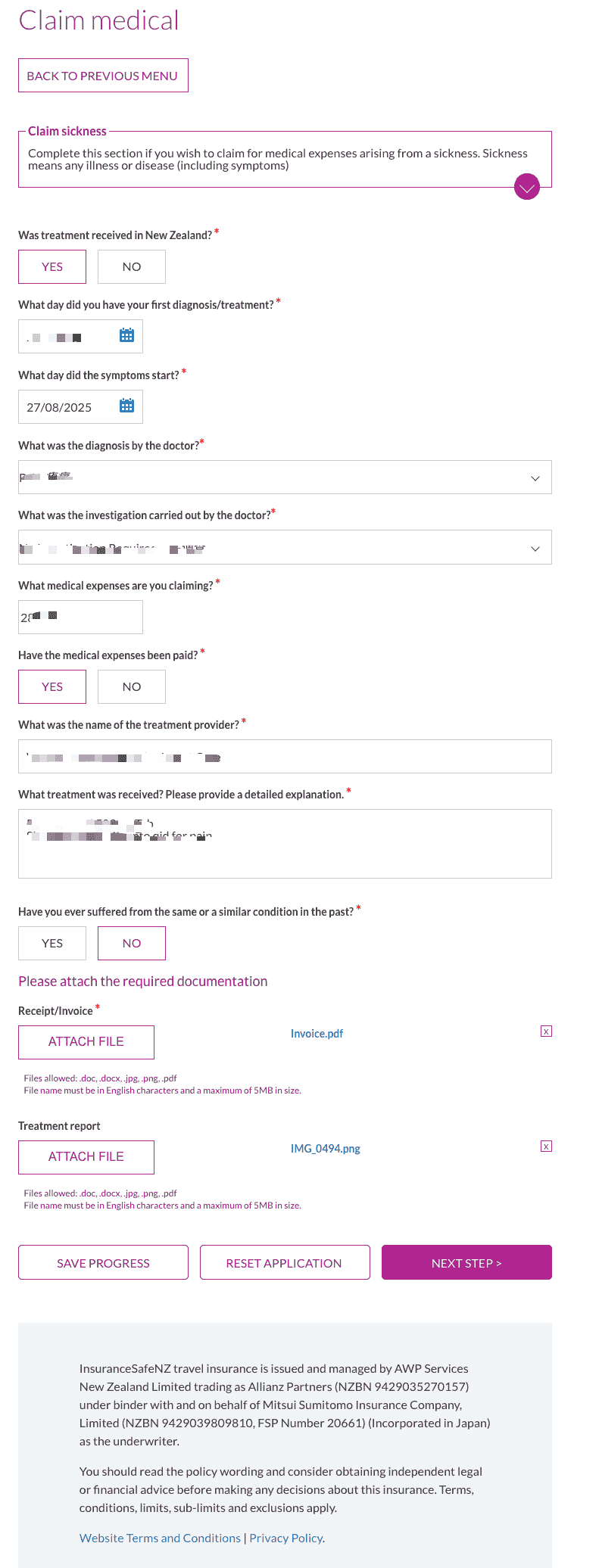
Fill in the diagnosis date, symptom start date, diagnosis details, examination/treatment details, medical expense amount, whether you have paid, provider name, and similar information.
Under Please attach the required documentation, upload:
- Receipt/Invoice: Tax Invoice
- Treatment report: Consultation Note
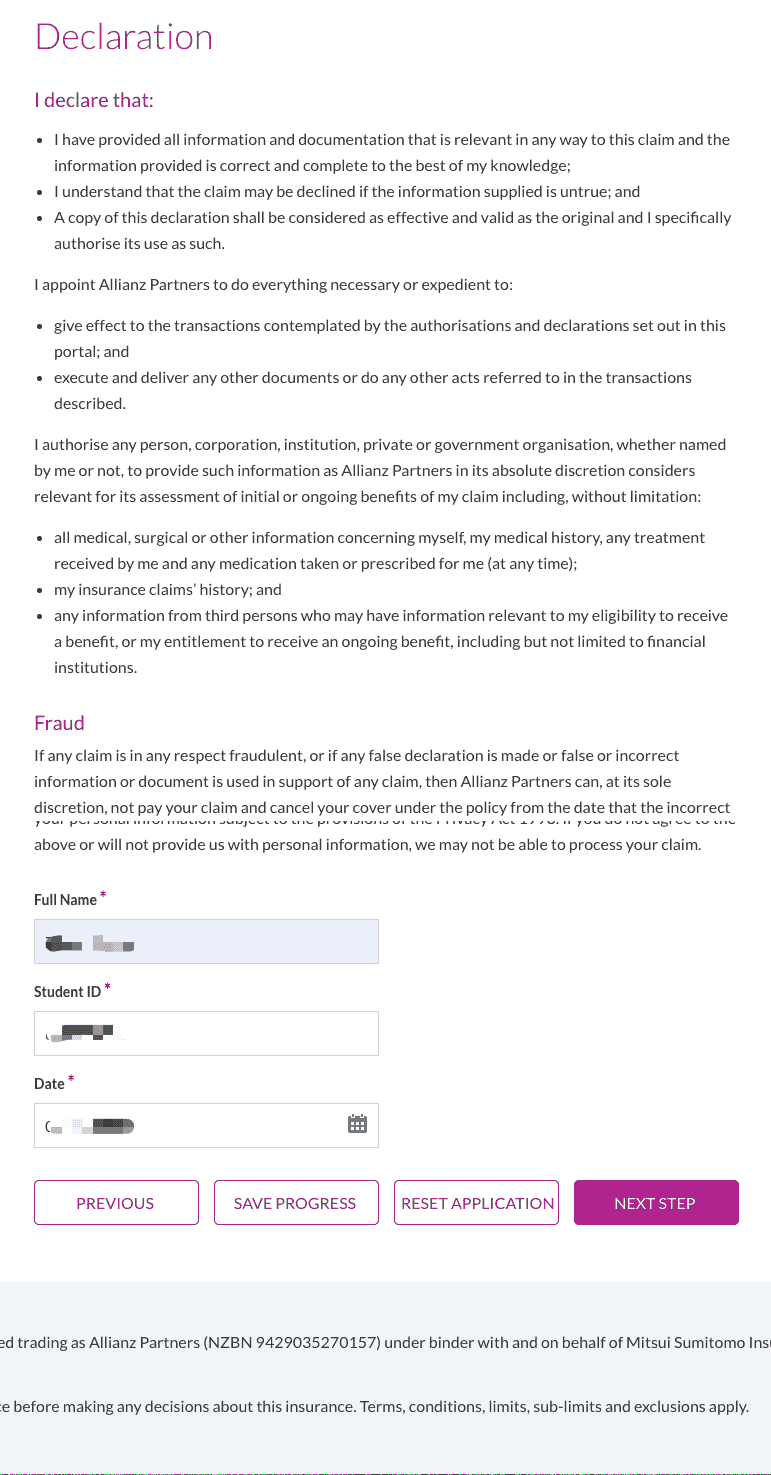
6. Declaration and authorisation
Read the Declaration, tick/confirm that the information is true and correct, fill in your name, student ID, and date, then click NEXT STEP.
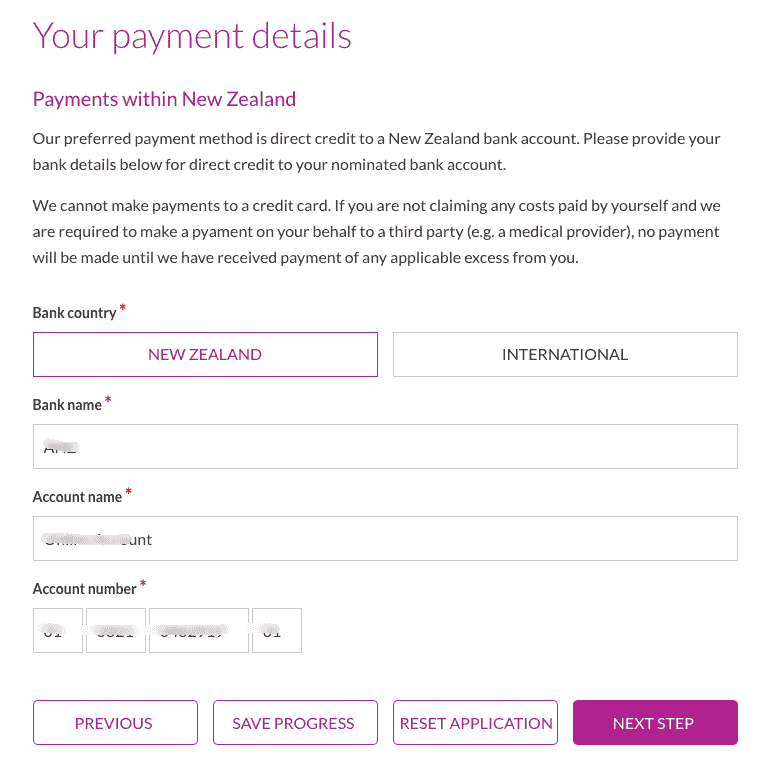
7. Fill in payment information
Provide your New Zealand bank account details for direct payment:
- Bank country: select New Zealand
- Bank name, account name, account number
INFO
Payment to credit cards is not supported. If the insurer needs to pay the medical provider directly, you need to pay the applicable excess first.
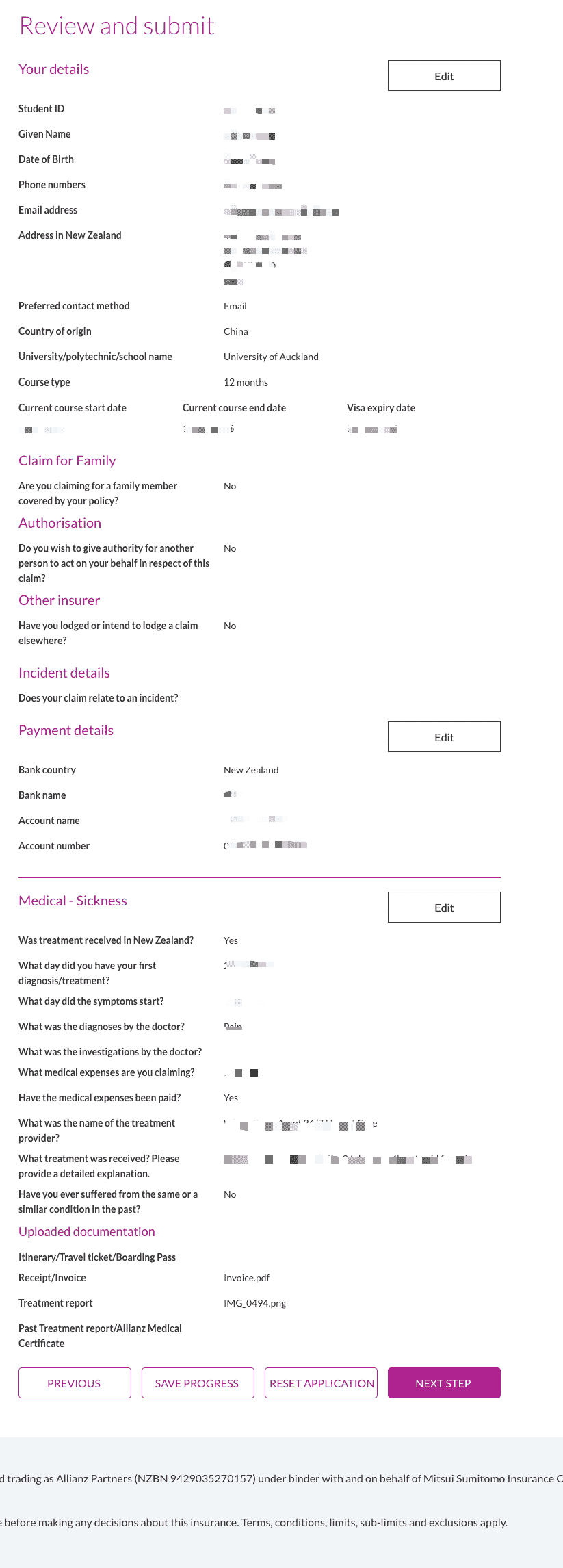
8. Review and submit
On the Review and submit page, check your information and uploaded files. If anything is wrong, click Edit to change it. After confirming everything is correct, click NEXT STEP to submit.
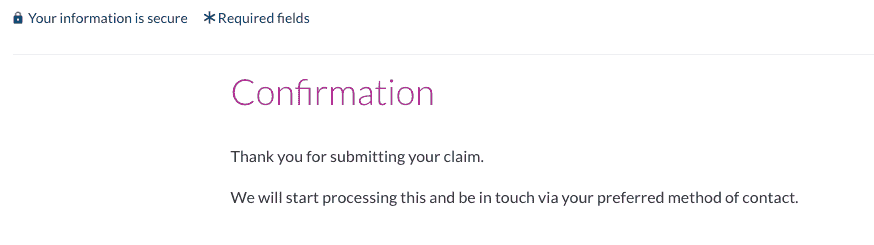
9. Submission successful
After submission, a confirmation page will appear, saying processing will begin and the team will contact you through your selected contact method.
10. Claim paid
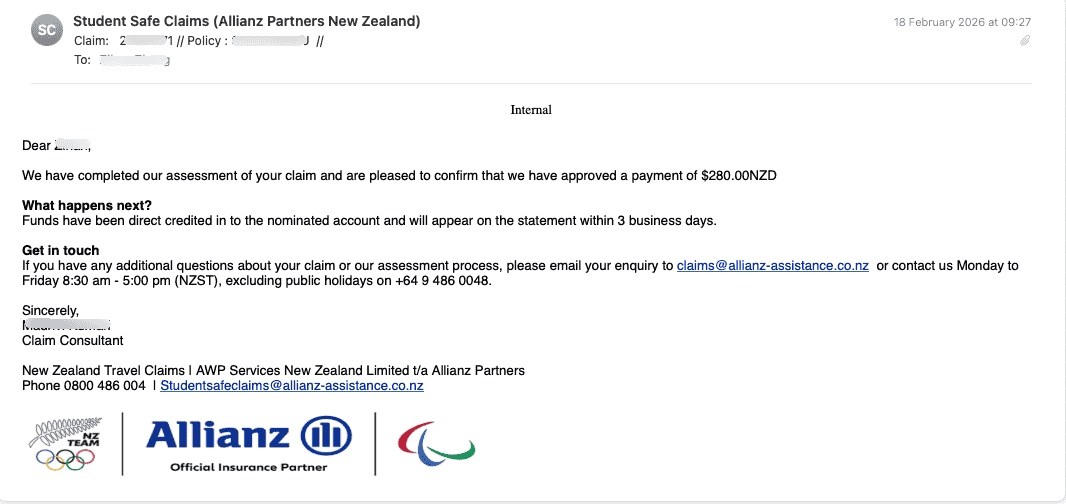
After approval, you will receive an email notification. The payment will be deposited directly into the bank account you provided, usually within 3 working days.
Pre-approval
If you want to obtain pre-approval before treatment:
- Download the Studentsafe claim form
- Prepare:
- Consultation Note from your GP/specialist (symptoms, diagnosis, recommended examination/treatment)
- Written quote from the treatment provider
- Email studentsafeclaims@allianz-assistance.co.nz with Pre-approval in the subject line
Saving Progress
During the process, you can click SAVE PROGRESS. Later, continue using your email and the PIN sent by the system.
Contact
- Phone: 0800 486 004 or +64 9 488 4638
- Email: studentsafeclaims@allianz-assistance.co.nz
- Hours: Monday to Friday 8:30-17:00 (New Zealand time, excluding public holidays)
FAQ
Which providers can be reimbursed?
Before visiting, call 0800 486 004 to confirm whether the clinic/hospital is on the approved list. Common providers such as GPs and White Cross are usually claimable.
How long does reimbursement take?
Generally 1-4 weeks. After approval, payment is usually received within about 3 working days.
Workersafe / Explorersafe policies
If you hold a Workersafe or Explorersafe policy, use the other claims portal instead of the Studentsafe portal.
Related Links
- Medical Reimbursement: reimbursement overview
- White Cross: remember to ask reception for the Tax Invoice and Consultation Note during urgent care visits
- Studentsafe claims portal
- University of Auckland student medical insurance reimbursement full process (Xiaohongshu)
Last edited: 2026-01-10 · Author: Bald-M