Student Visa
New Zealand Student Visa applications must be submitted online through the Immigration New Zealand website using a RealMe account.
TIP
The following information is based on the process as of January 2025. Follow the latest requirements on the Immigration New Zealand website.
Materials to Prepare
| Material | Description |
|---|---|
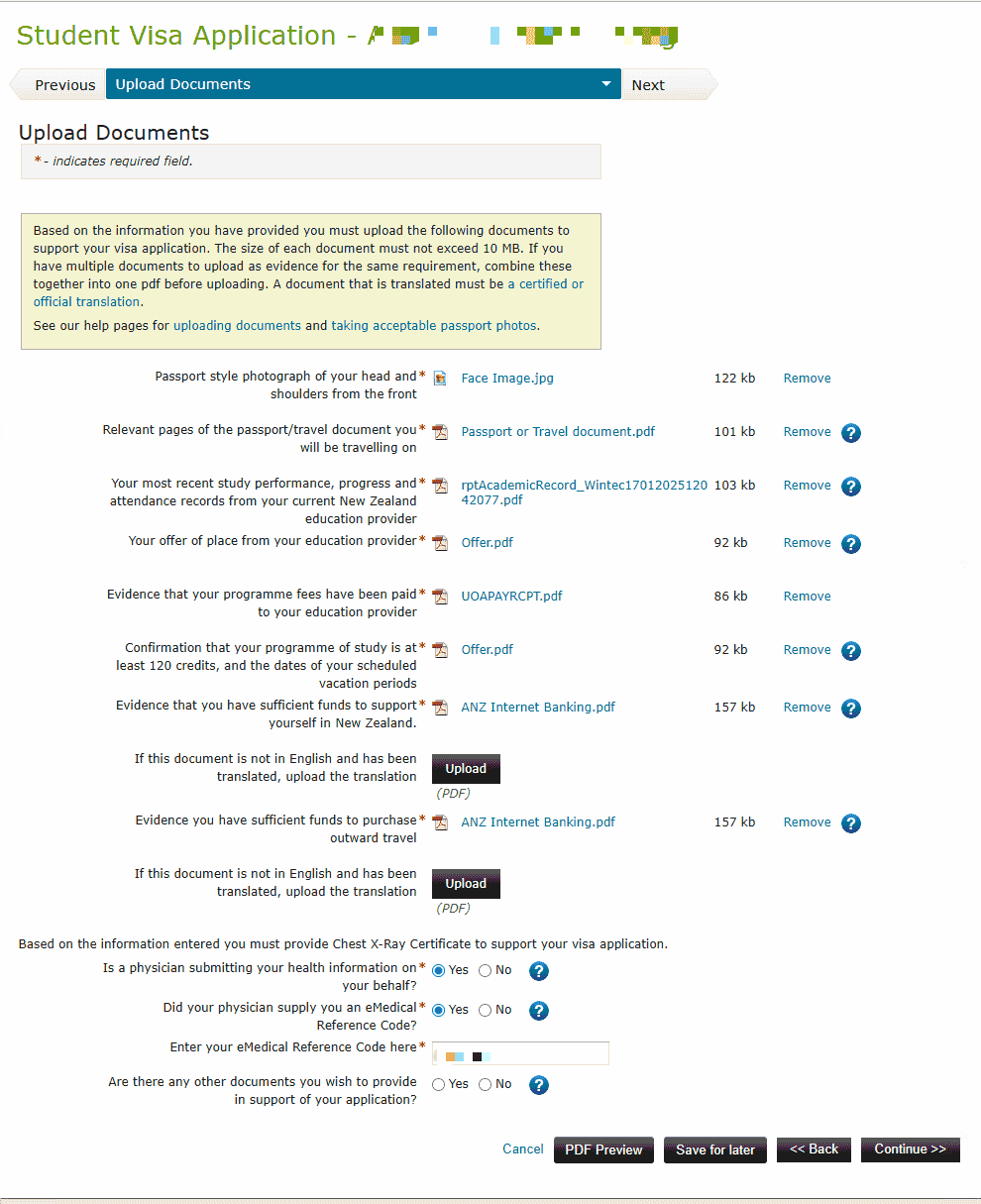
| Passport bio page photo | Clear scan of the personal information page |
| Offer | Offer of place from a New Zealand education provider |
| Transcript | Must be an official Academic Transcript |
| Tuition payment evidence | Proof that tuition has been paid |
| Proof of funds | Enough money to live in New Zealand (bank statements); see Bank Statements |
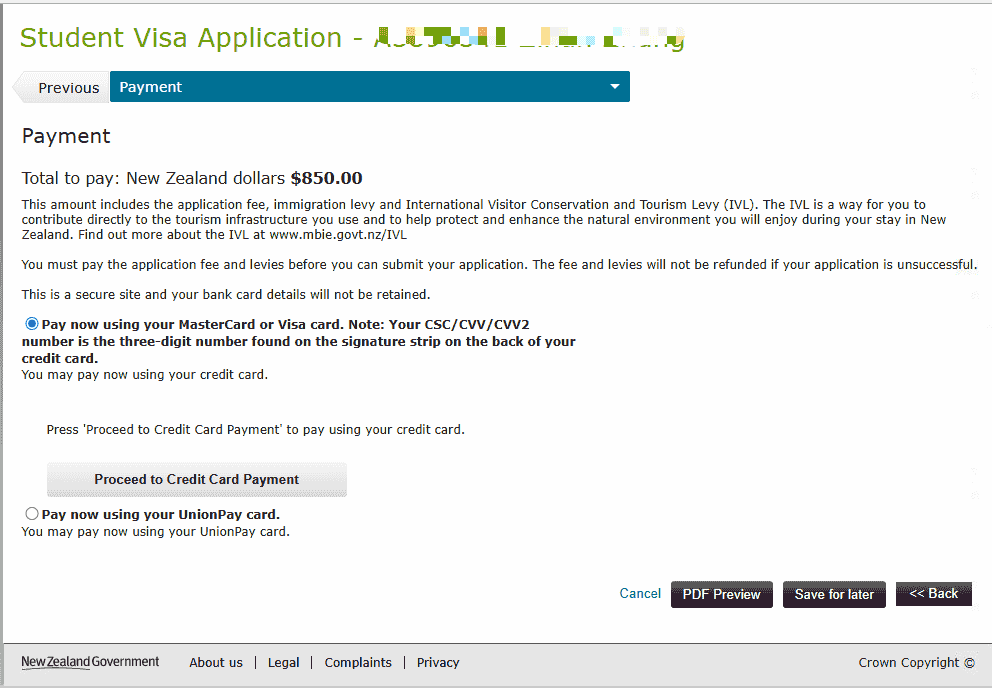
| Visa card | Used to pay visa fees and similar costs |
| Evidence of outward travel | Such as flight tickets |
| eMedical Reference Code | The eMedical number is sent to your email by the sender "eMedical" a few working days after completing the chest X-ray medical exam |
About the Chest X-ray Medical Exam
- Validity: the chest X-ray is valid for 36 months
- When exempt: if this is not your first application and your previous chest X-ray has not expired, you do not need to complete it again
- See Pre-departure medical exam - chest X-ray
Application Process
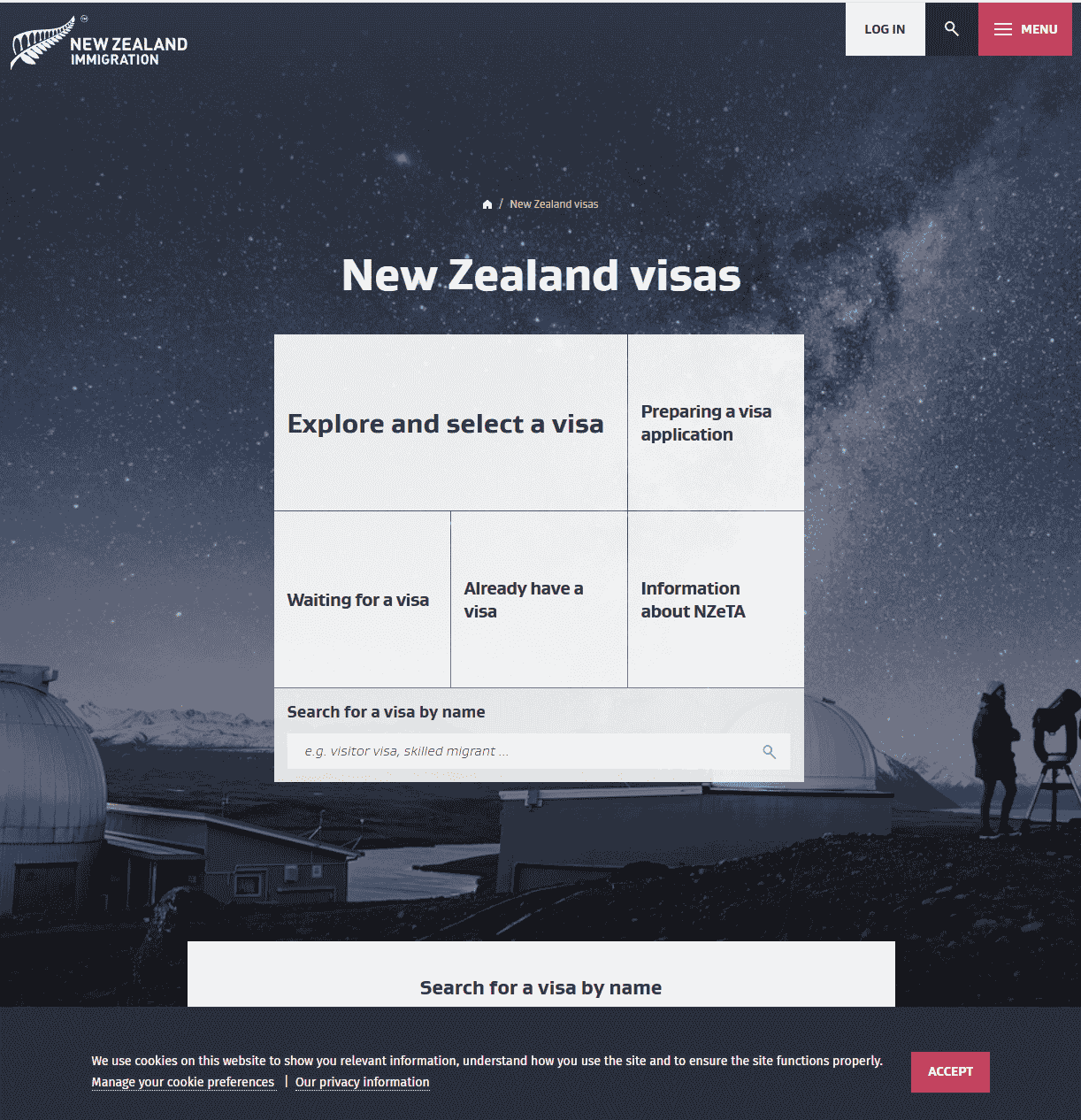
1. Open the Immigration New Zealand visa page
Visit immigration.govt.nz and open the "New Zealand visas" page. You can choose "Explore and select a visa" or use the search box to find "Student visa".
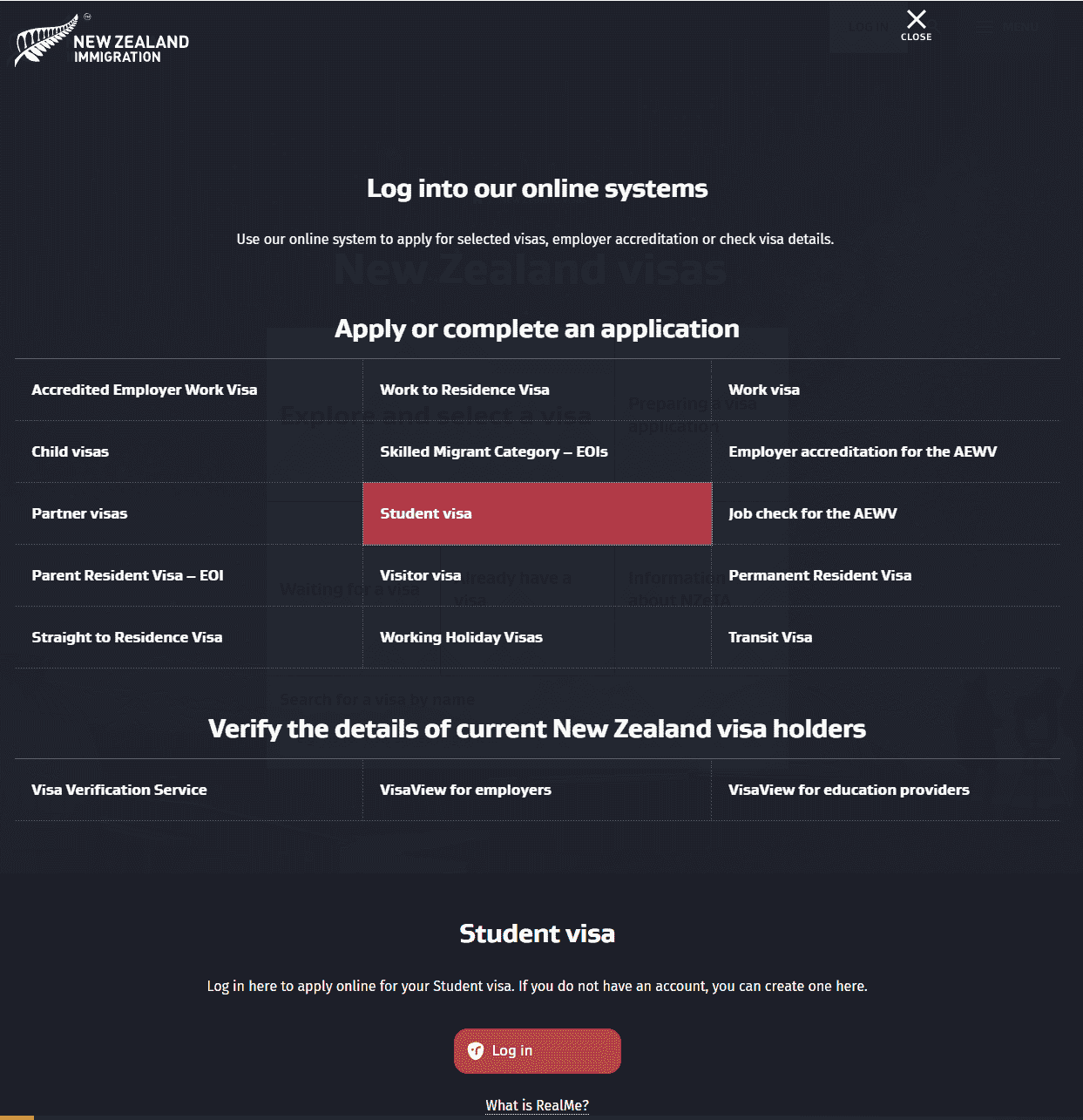
2. Select Student Visa and log in
On the "Log into our online systems" page, find the Student visa option and open it. In the "Student visa" section below, click the red Log in button. If you do not have an account, you can create one there.
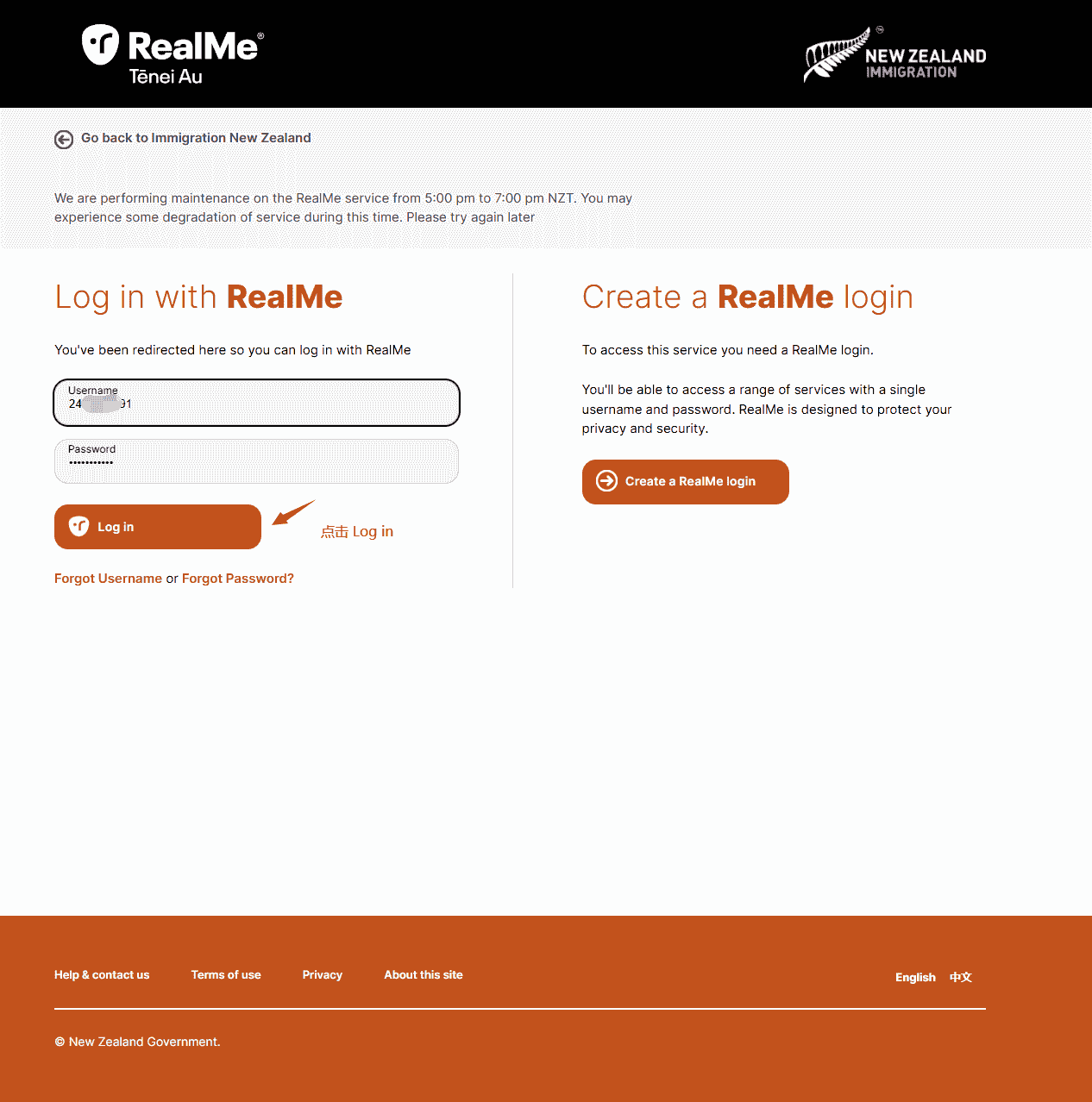
3. Log in with RealMe
- Existing RealMe account: enter your username and password, then click Log in
- No account: click "Create a RealMe login" on the right to register a RealMe account
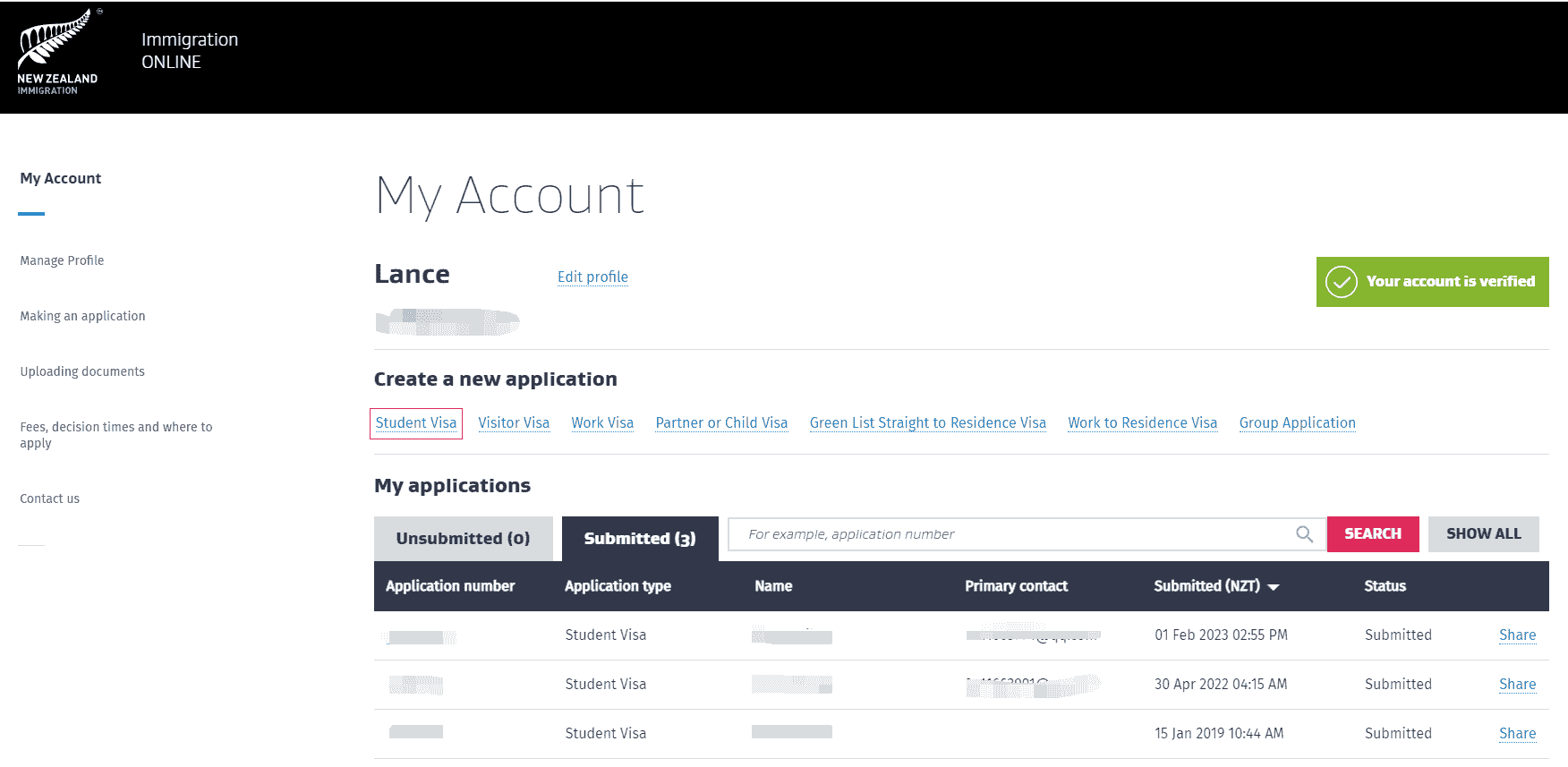
4. Create a new Student Visa application
After logging in, go to My account. Under Create a new application, click Student Visa.
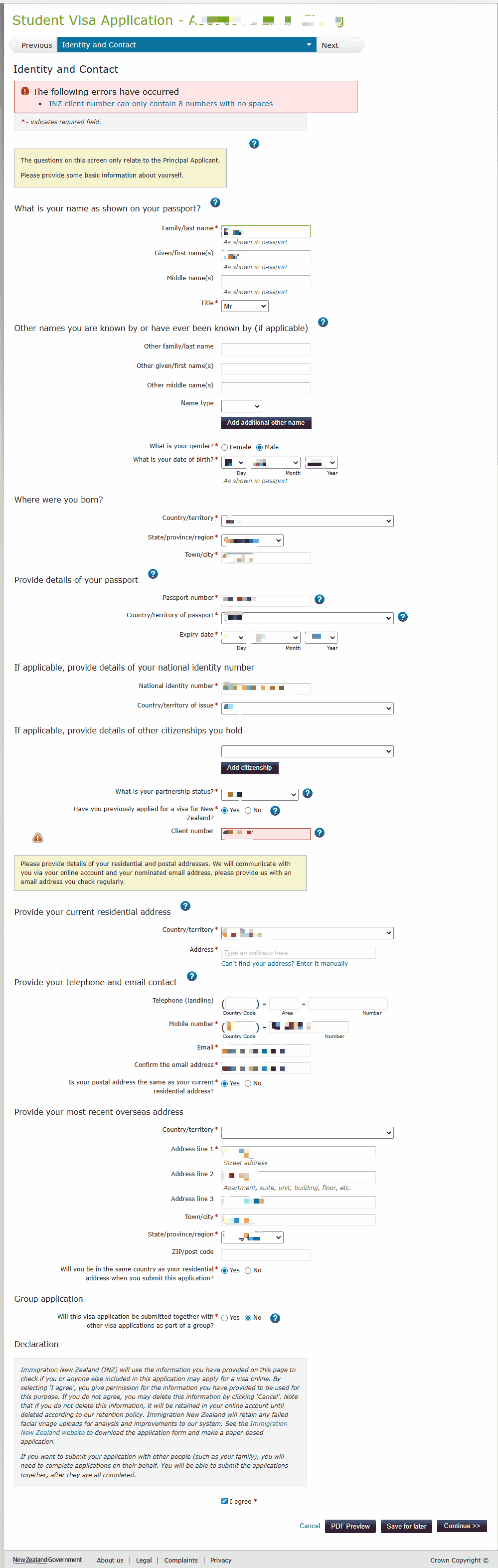
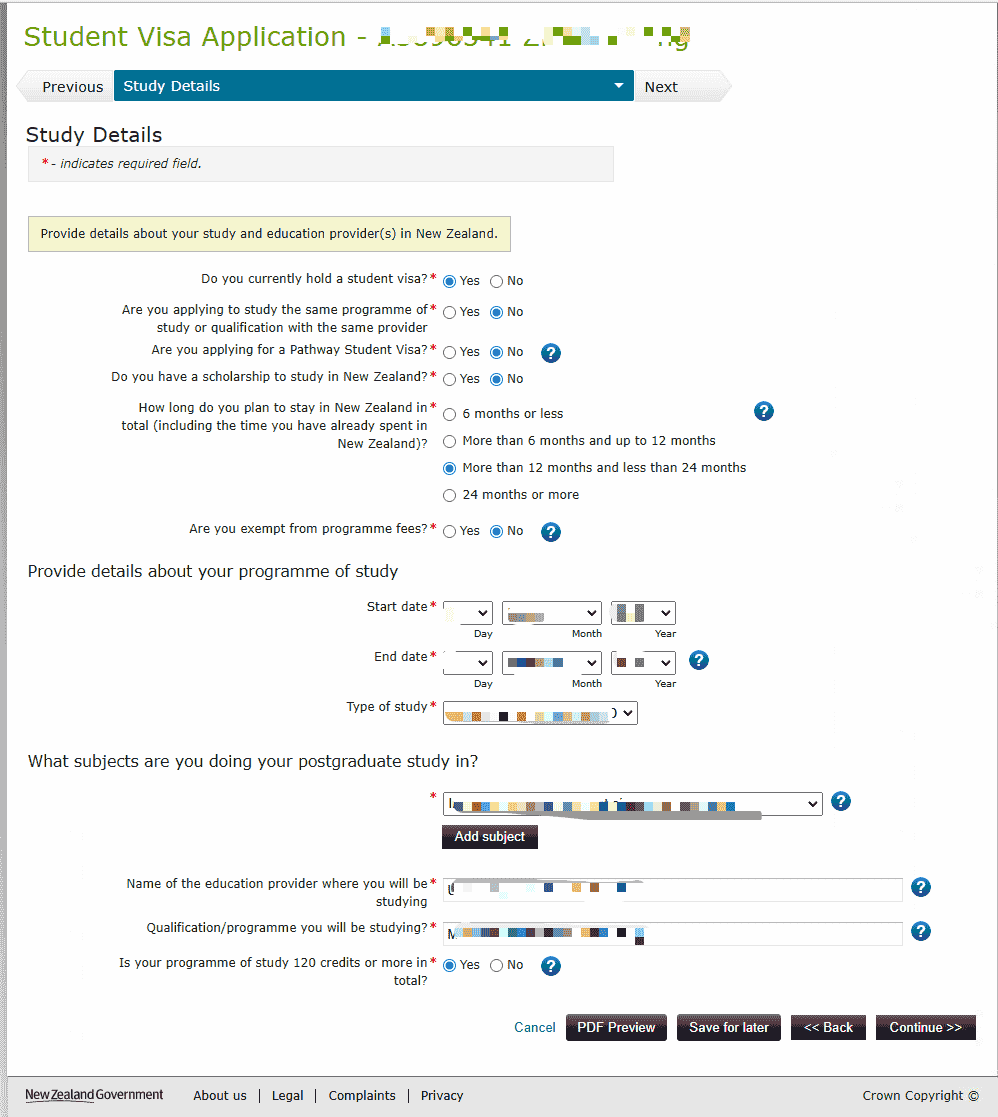
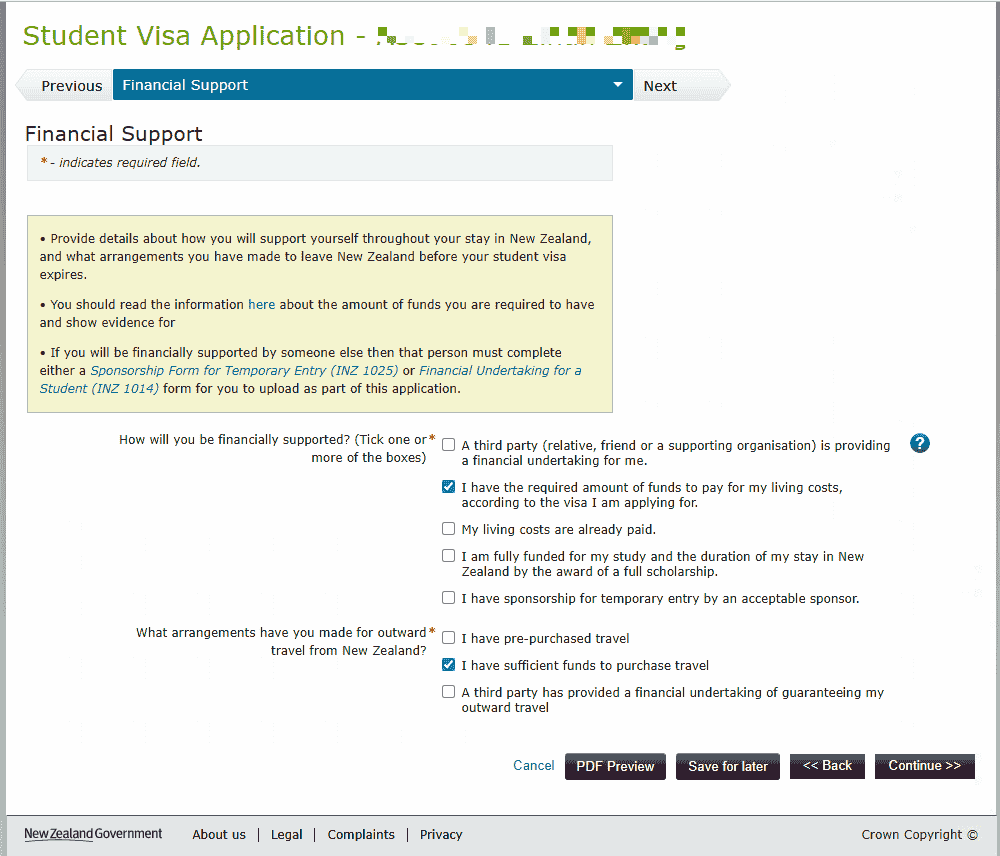
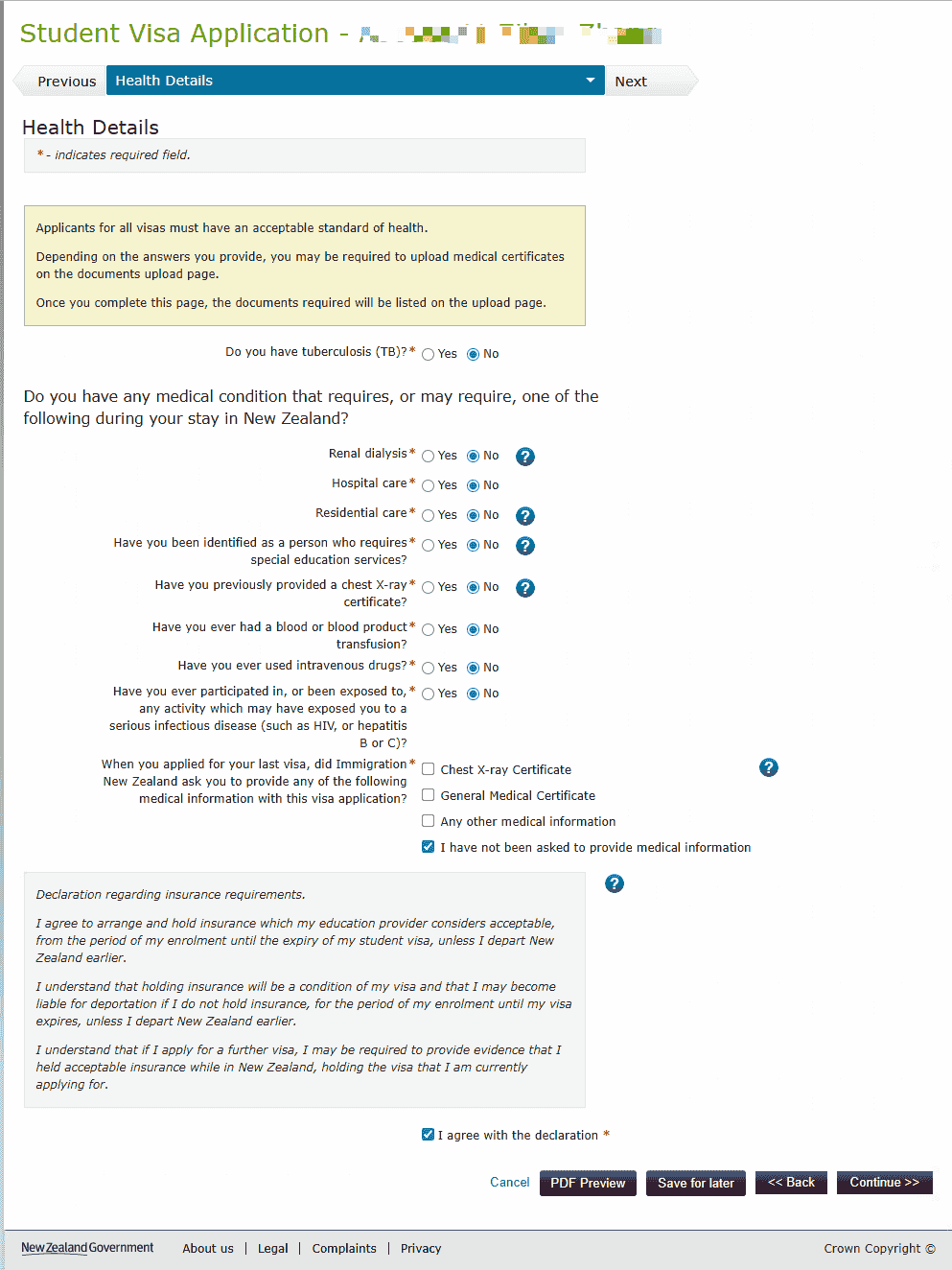
5. Fill in and submit online
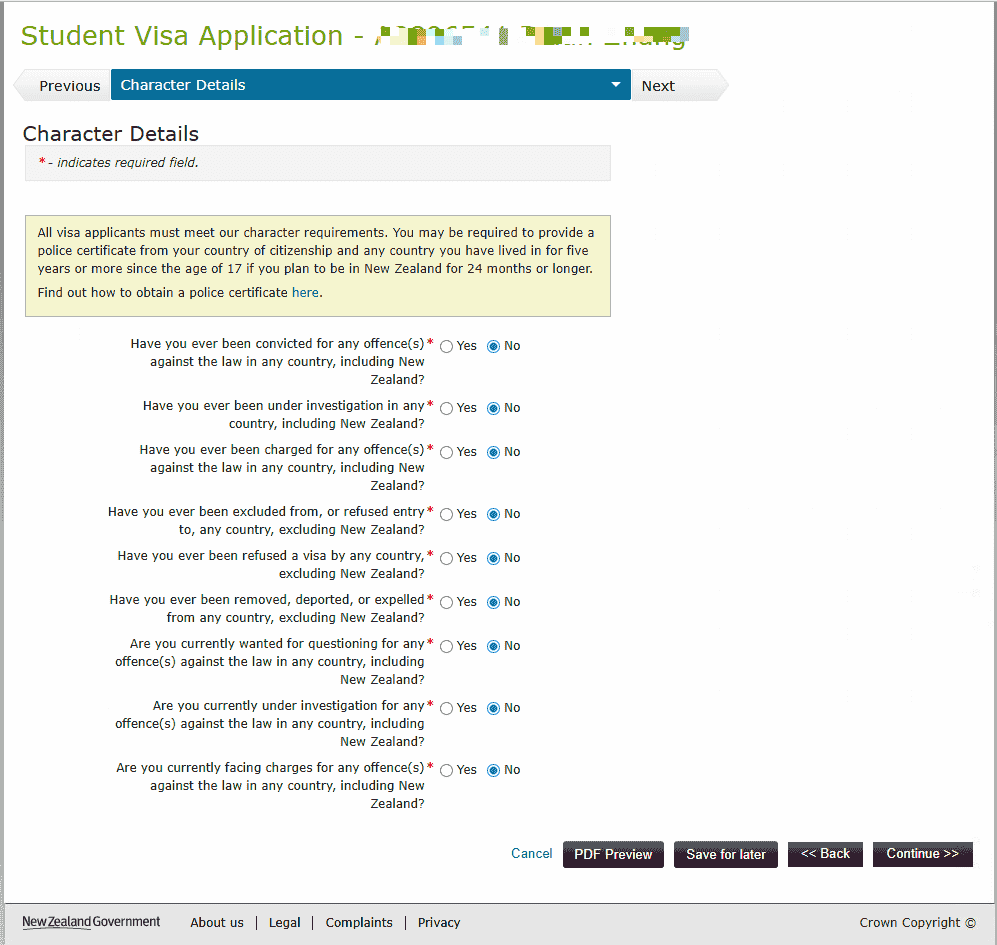
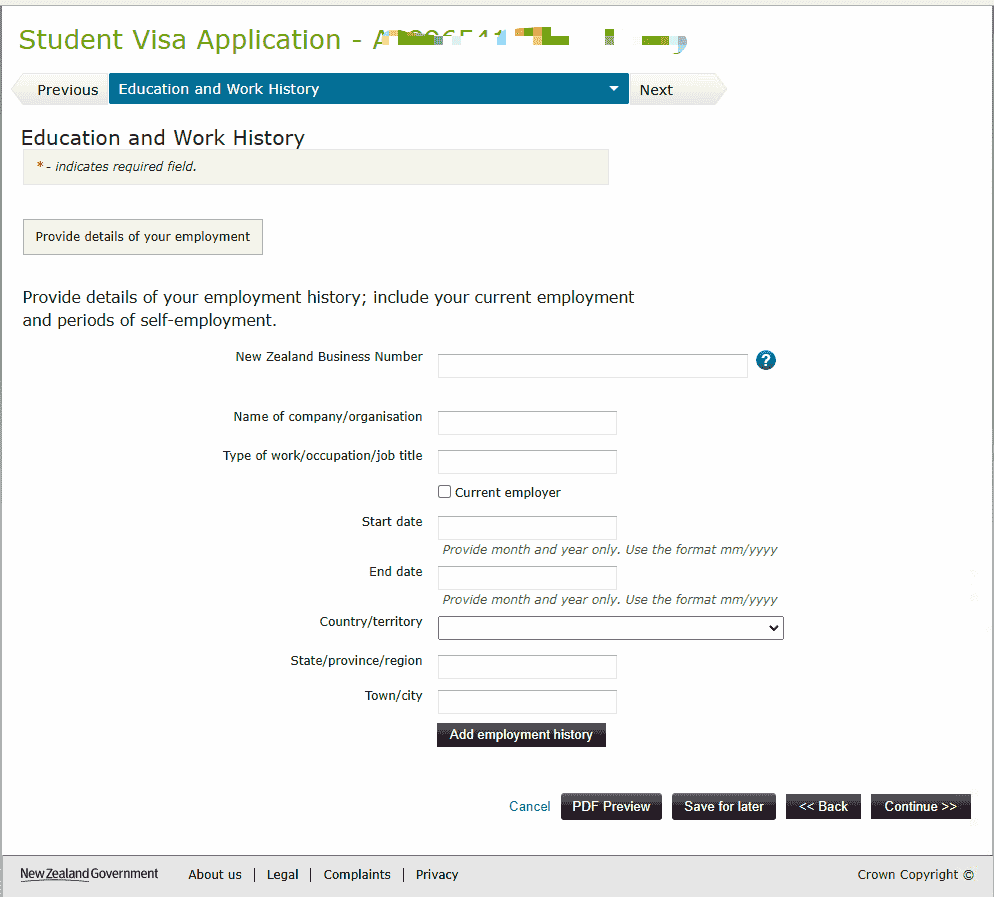
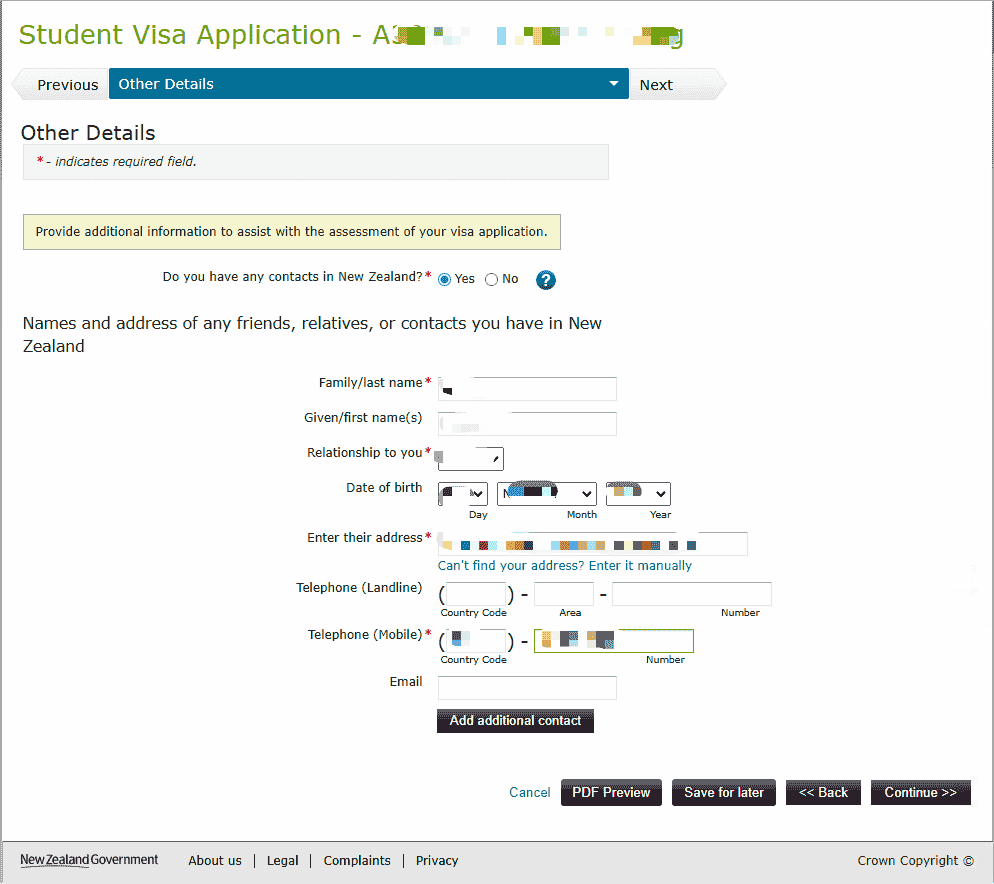
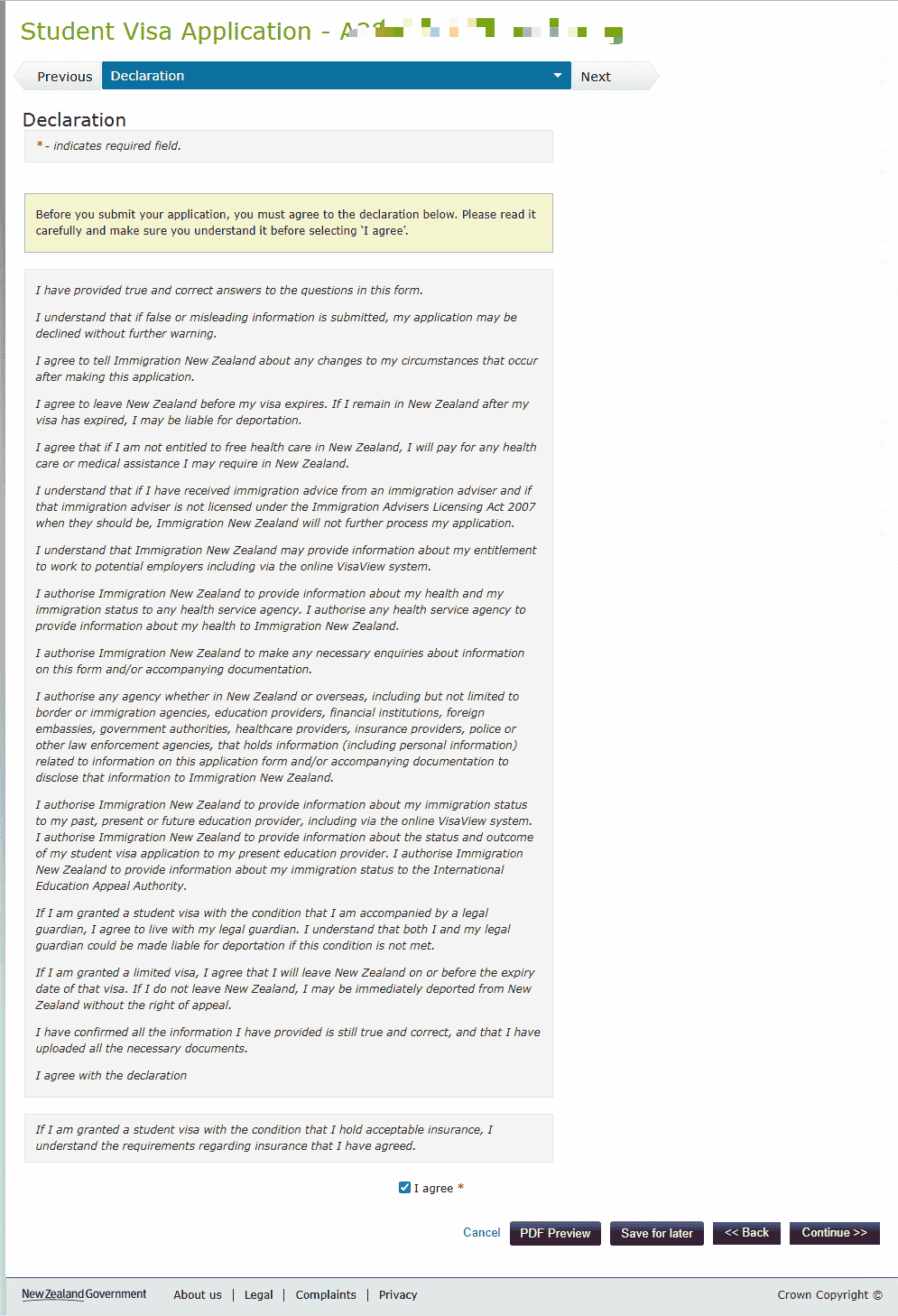
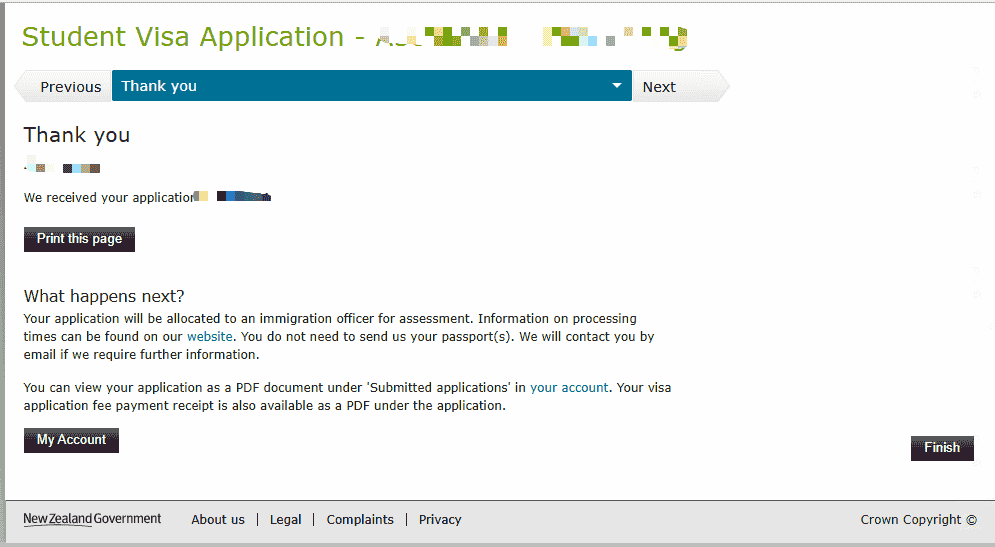
After logging in, follow the prompts to complete the application form, upload materials, pay the visa fee, and submit.
Notes
- Search your email for the sender "eMedical" to obtain the eMedical number. It is usually received a few working days after the medical exam.
- The transcript must be an official Academic Transcript issued by the school, not an ordinary grade report.
- QQ Mail may block Immigration New Zealand emails. If you do not receive an email, check the spam folder.
Last edited: 2025-01-23 · Author: Bald-M