Completion Letter
A Completion Letter is an important document for applying for a Post-study Work Visa. At the University of Auckland, the official name of this document is Confirmation of Eligibility to Graduate Letter, and it must be requested online through the student portal.
TIP
This guide uses the University of Auckland as an example. Processes at other institutions may differ. Follow your own school's official website.
Before Applying
- Student account that can log in to Student Homepage
- System status updated to eligible to graduate
- It is recommended to first check your unofficial transcript to confirm that grades and course information are correct
WARNING
This letter can only be issued to students who are currently eligible to graduate but have not yet formally graduated. If the system does not show "eligible to graduate", contact the school first to update the status.
Fee and Processing Time
| Item | Description |
|---|---|
| Fee | $30 NZD |
| Processing time | Usually 5-7 working days |
| Special cases | Records from before 1981 or from the former Auckland College of Education may take about 10 working days |
Application Process (University of Auckland)
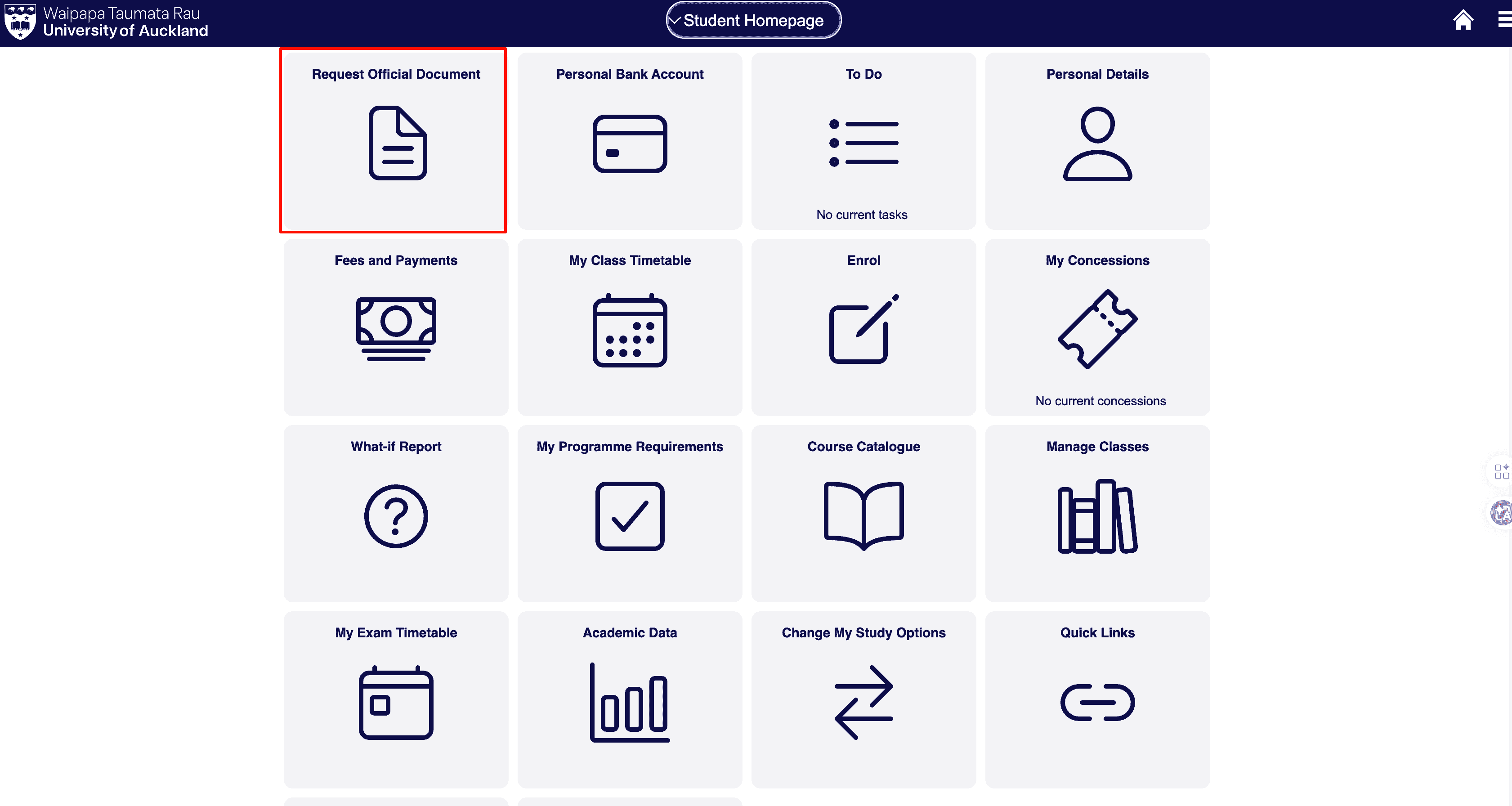
Step 1: Open Request Official Document
Log in to SSO, find Request Official Document on the homepage, and click it.
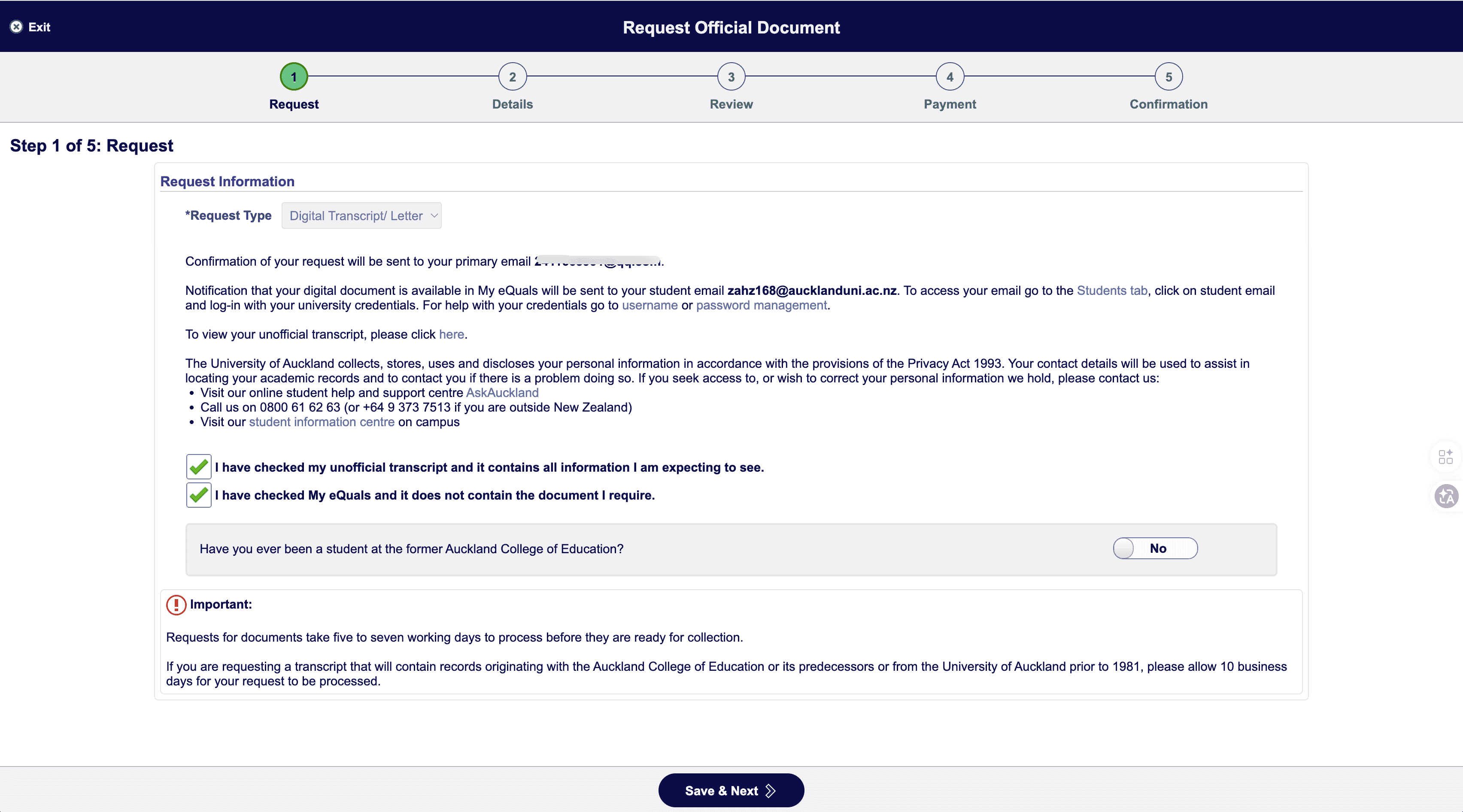
Step 2: Request
- Request Type: select Digital Transcript/ Letter
- Confirm that the digital file will be sent to your student email through My eQuals
- Tick:
- "I have checked my unofficial transcript and it contains all information I am expecting to see."
- "I have checked My eQuals and it does not contain the document I require."
- Click Save & Next
TIP
Before applying, check My eQuals to confirm whether the document is already available, so you do not apply again unnecessarily.
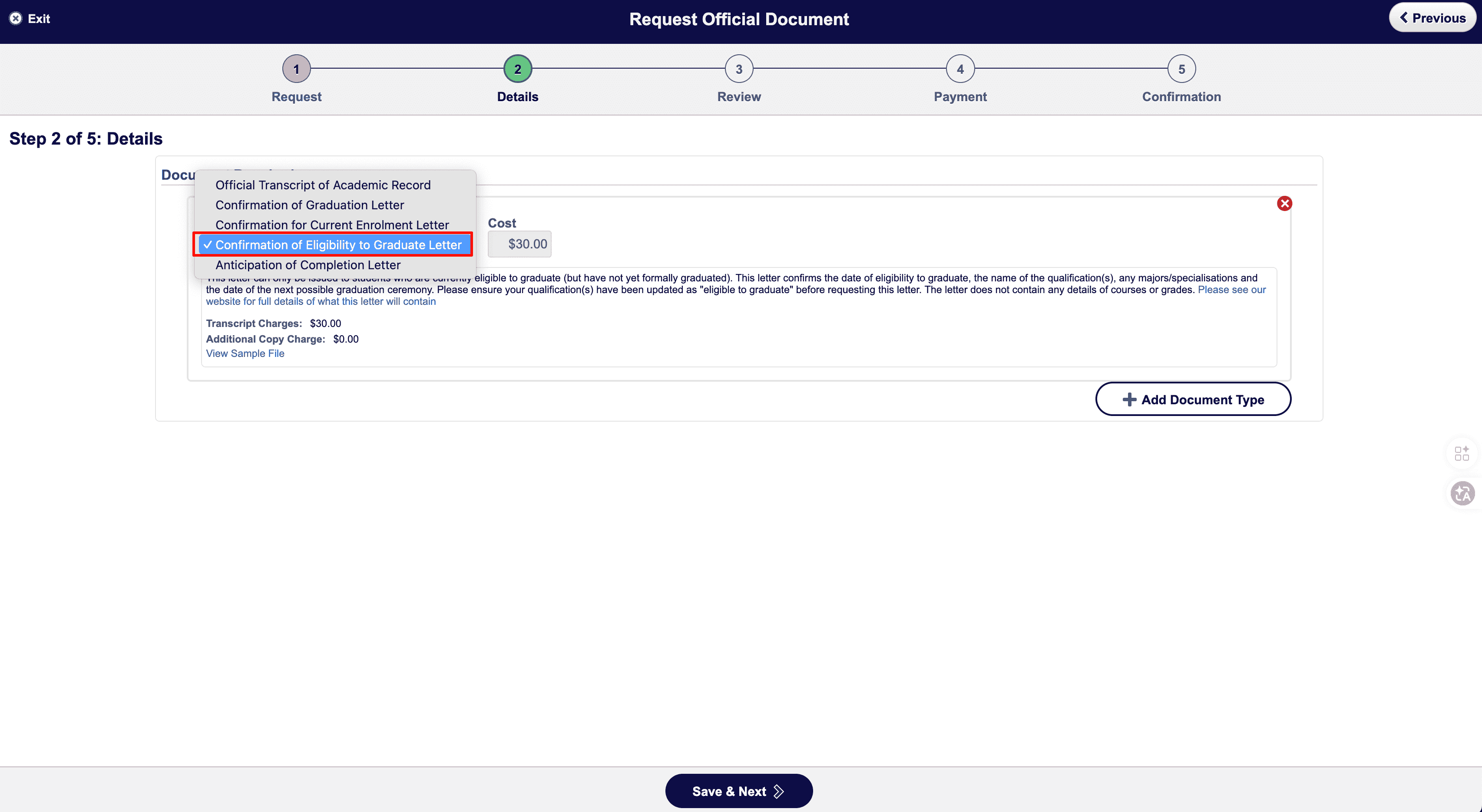
Step 3: Details (select document type)
- Document Type: select Confirmation of Eligibility to Graduate Letter
- Confirm the fee is $30.00
- The letter includes:
- Date of eligibility to graduate
- Qualification/degree name
- Major/specialization
- Most recent graduation ceremony date
- It does not include courses and grades, which are in the Transcript
- Click Save & Next
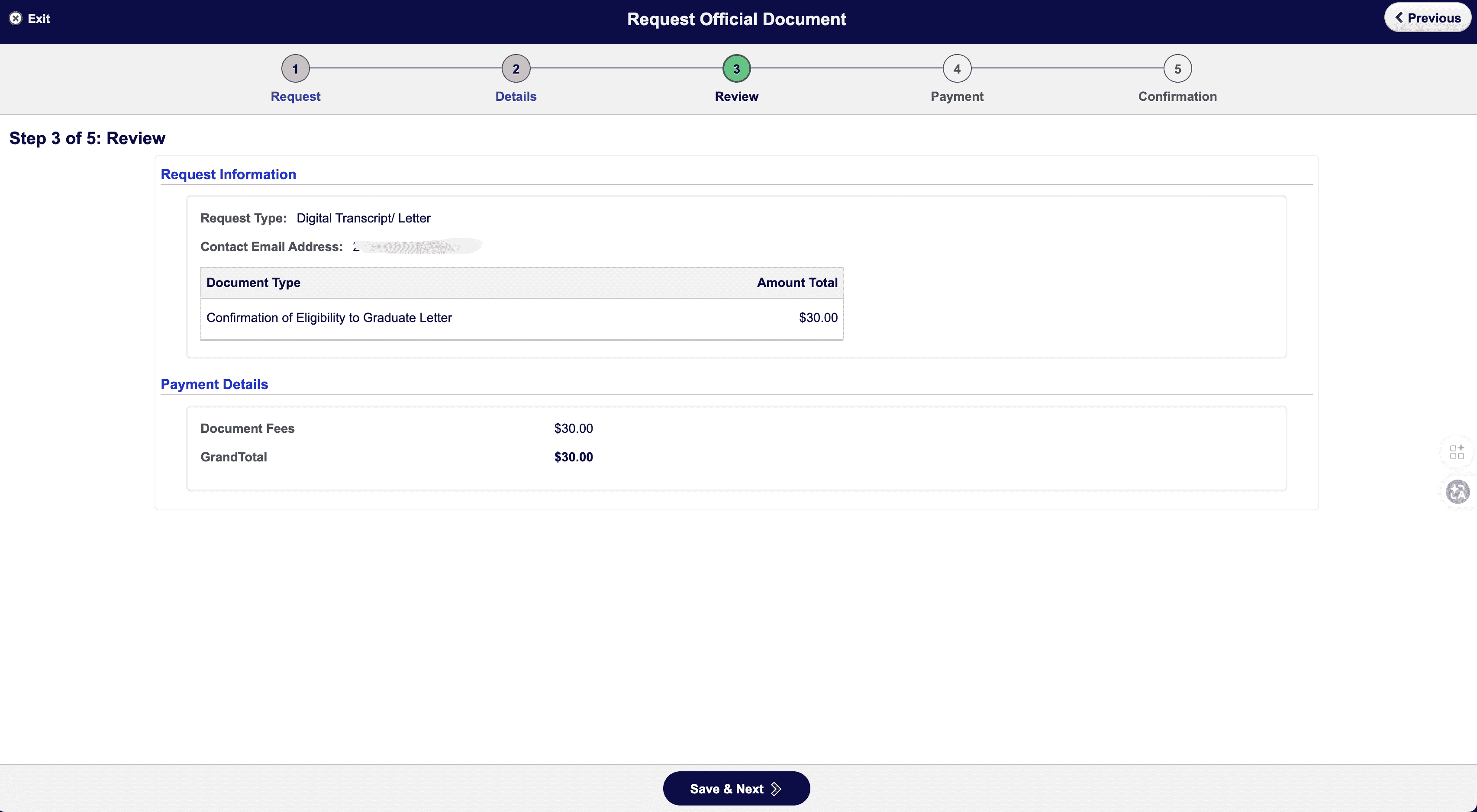
Step 4: Review
Check the request type, document type, and amount ($30). After confirming everything is correct, click Save & Next.
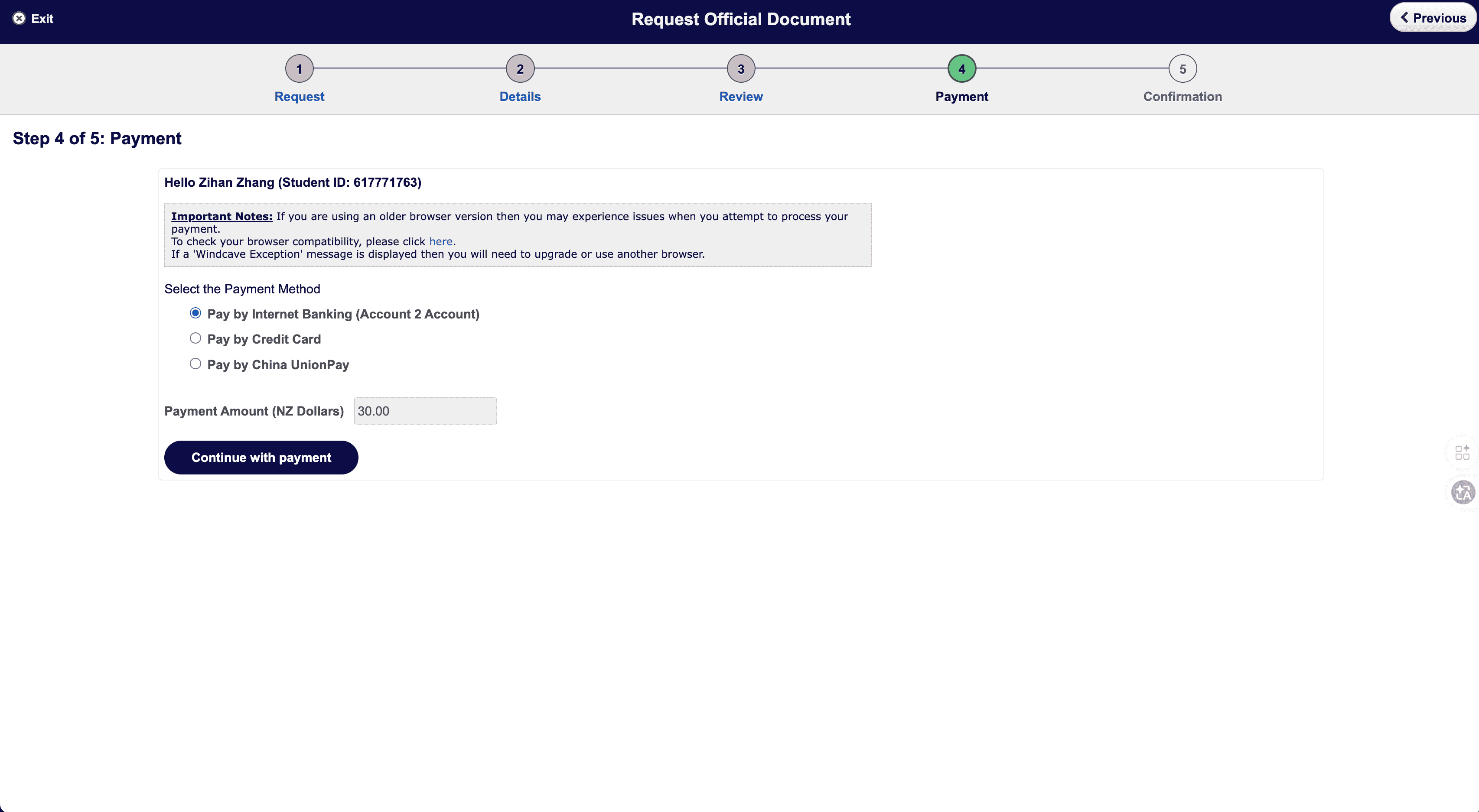
Step 5: Payment
- Choose a payment method:
- Pay by Internet Banking (Account 2 Account)
- Pay by Credit Card
- Pay by China UnionPay
- Payment amount: $30.00
- Click Continue with payment to go to the payment page
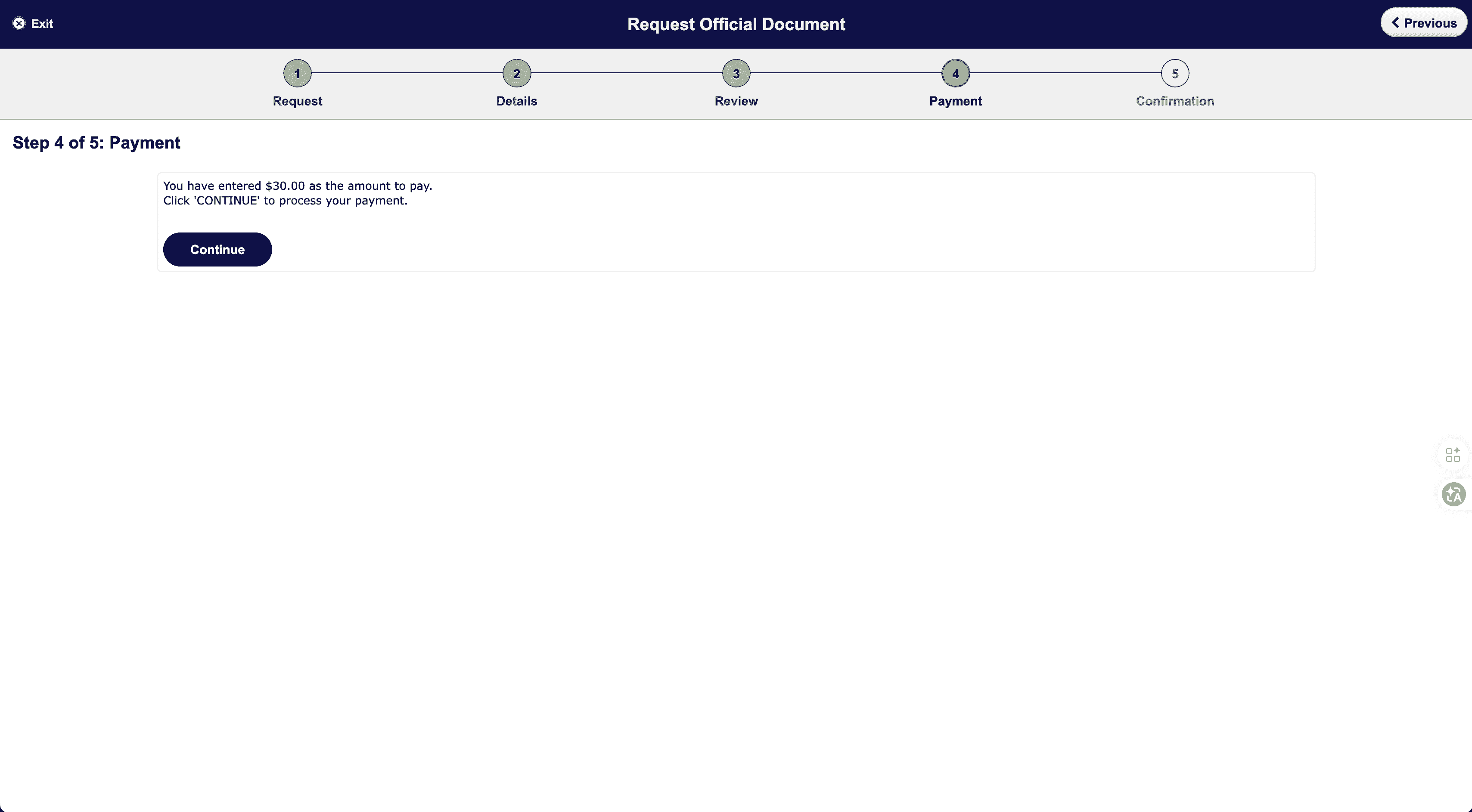
- Confirm the amount is $30.00 and click Continue to complete payment
WARNING
If a Windcave Exception message appears, it is usually because the browser version is too old. Update or switch browsers and try again.
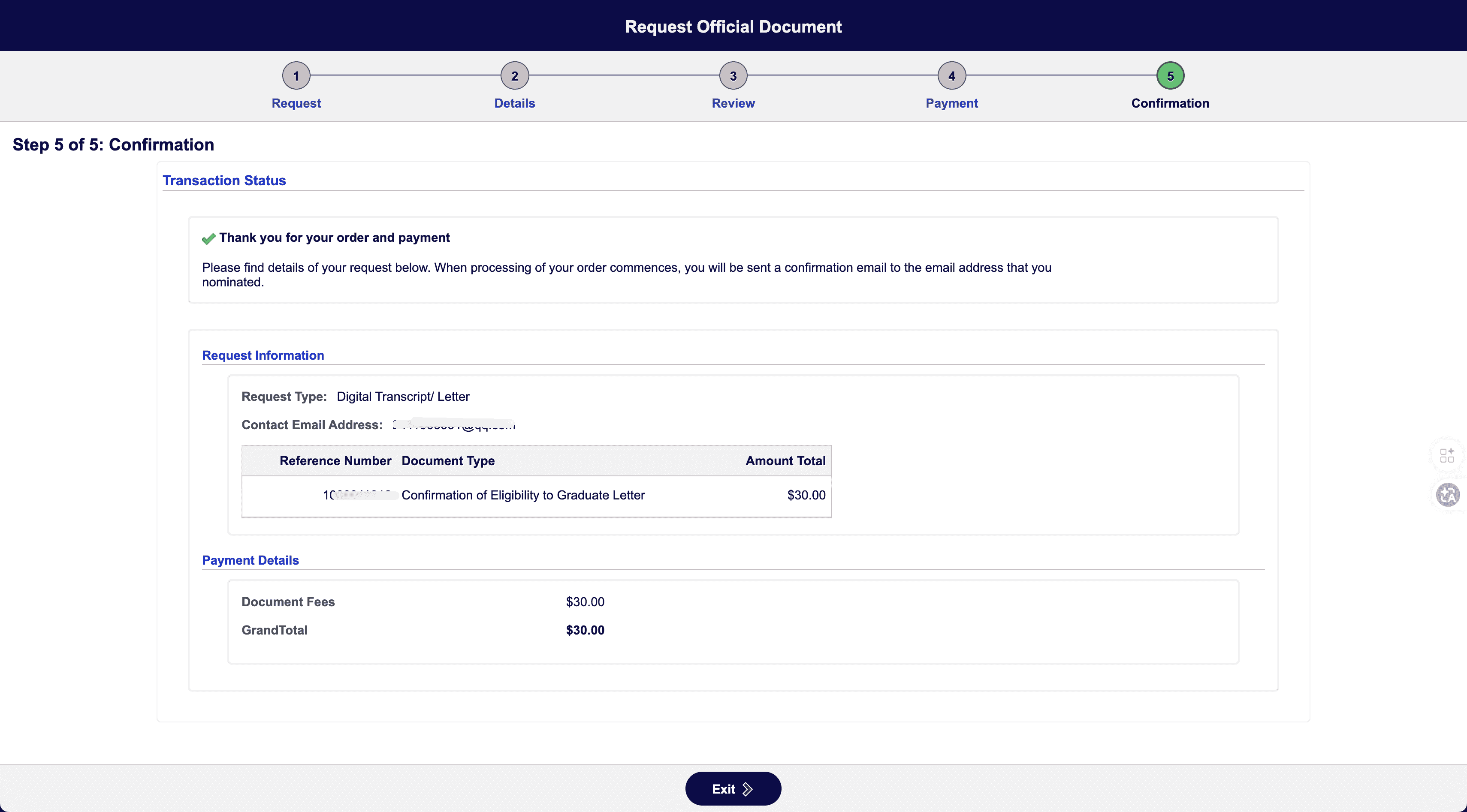
Step 6: Confirmation
After payment succeeds, the page will show "Thank you for your order and payment". Once processing begins, a confirmation email will be sent to the email address you entered. The digital file will be sent to your student email through My eQuals.
How to Receive It
- Check email: after processing is complete, you will receive an email notification from My eQuals
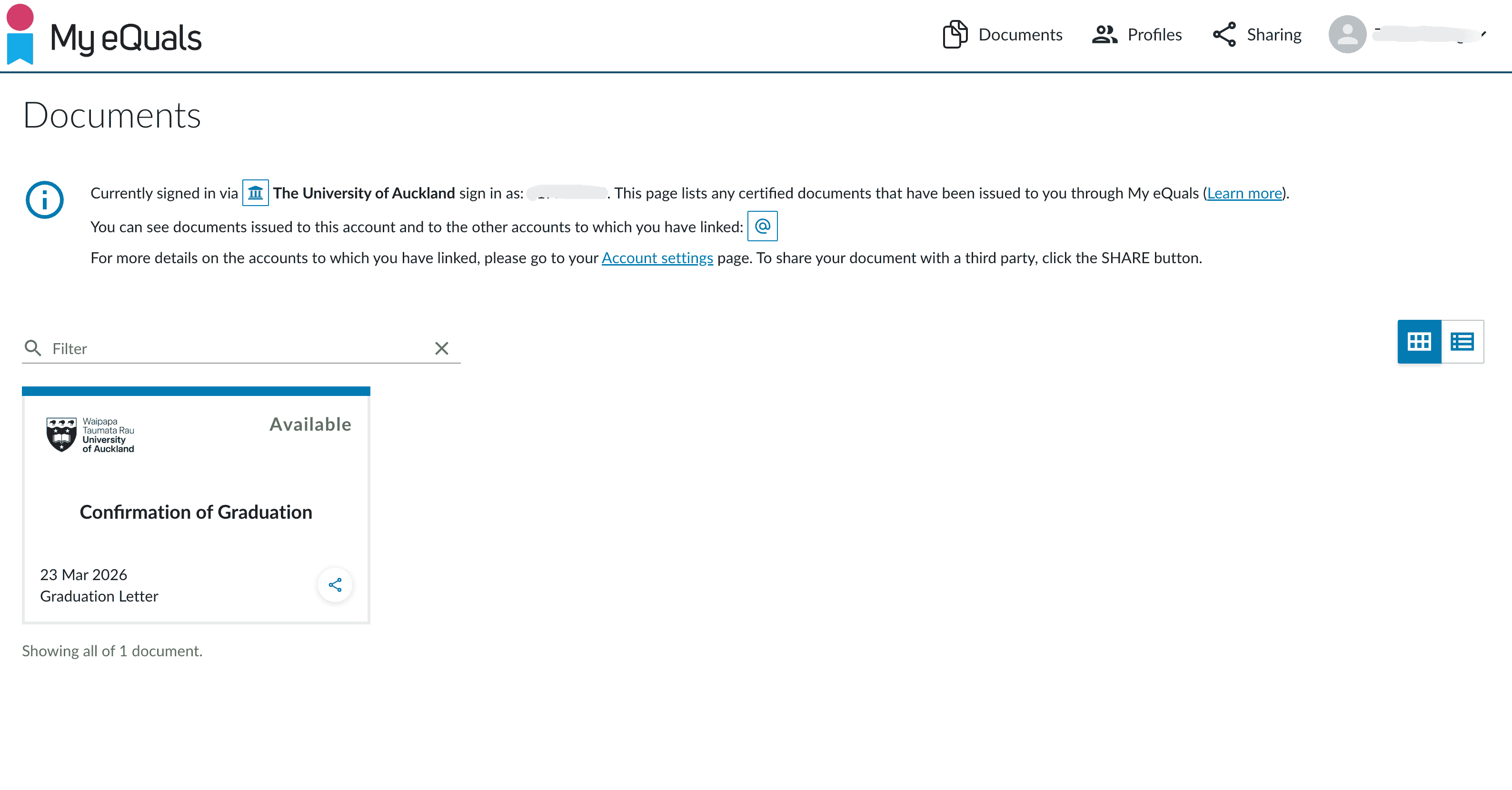
- Log in and download: go to My eQuals and log in with your University of Auckland account. On the Documents page, find Confirmation of Graduation or Confirmation of Eligibility to Graduate Letter. When the status is Available, click to download the PDF
- Use for visa: upload the PDF as the Completion Letter in the Immigration New Zealand application
Notes
- Apply after all grades are confirmed and your degree status has been updated to eligible to graduate
- Before applying, confirm that My eQuals does not already contain the document to avoid paying twice
- Digital letters generally do not have a clear expiry date, but it is recommended to obtain one within 3 months before submitting the visa application
Related Links
- Post-study Work Visa overview
- Immigration New Zealand online application process
- University of Auckland Student Homepage
- My eQuals
Last edited: 2026-03-23 · Author: Bald-M